Signed before
they suit up
Liability releases without the clipboard. DivePilot sends the forms and the reminders, the guest signs on the form itself, and you know exactly who is cleared to dive before the briefing starts.
Your paperwork,
templated once
Set up each release you use, agency standard or your own document, with version, language and validity period. Require it for everyone, for fun dives or for courses, add extra waivers to a course or a single dive group, and DivePilot checks every diver against their own list.
- PADI, SSI, NAUI, CMAS, DAN, BSAC, SDI, TDI, RAID or custom
- Attach the agency's official PDF or your own, with the fields DivePilot fills in placed on its pages
- Validity period per template with automatic expiry tracking
- Required for everyone, fun dives or courses, plus extras per course or dive group

However it arrives, it's on file
Online signature, uploaded scan or confirmed in person: every waiver ends up in the same searchable archive.
Signing links
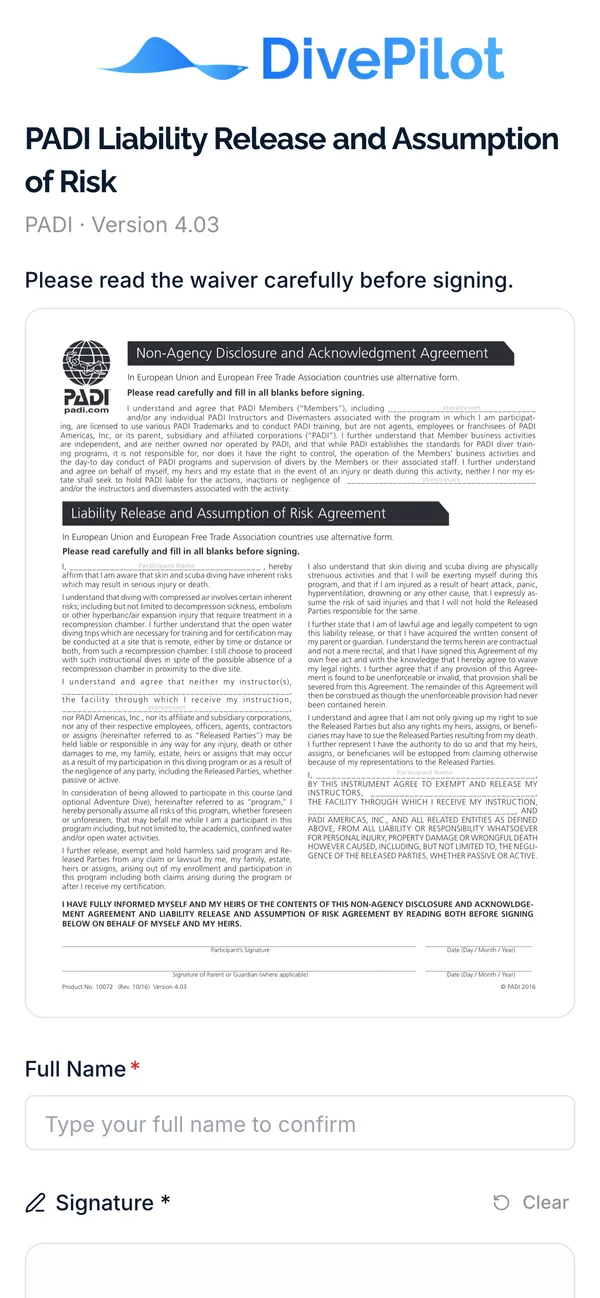
Send a secure, expiring link by email, or let the waiver plan send it for you. The diver opens the signing page in their own language, reads your form on their phone, answers your questions, signs and confirms consent, then goes straight on to the next form still missing. A minor's links go to their parent or guardian, who signs next to the participant.
Paper scan upload
Some guests still sign on paper. Photograph or scan it, attach it to the customer, and the record is as findable as any digital signature.
In-person confirmation
Signed at the counter? Staff confirm it in the system with their own account, so who verified what is always on record.
Legally traceable
Each online signature stores the typed name, consent, timestamp, IP address, device and a fingerprint of the exact document signed. A form with a PDF also gets a signed PDF with a signing record page.
Expiry tracking
Waivers valid for a season or a year expire on schedule. Divers with lapsed paperwork are flagged on the dashboard and on the trip before the boat leaves.
One document archive
A dedicated Documents page lists every waiver across all customers. Filter by status or template, search a name, open the signed proof or request a new signature - and each profile still shows its own status at a glance.
The forms go out on their own
Decide once when DivePilot emails the forms to sign and how often it reminds guests, so nobody on your team chases signatures by hand.
At booking or before the dive
Send the forms when a booking is made, or a set number of hours before the dive, with up to two reminders. A form can keep a timing of its own, such as the medical questionnaire 48 hours before.
A rule per activity
Fun dives, courses and any single course template can each follow their own rule, and every booking follows exactly one. Bookings made at the counter or by phone get the forms by email too.
Only what is still open
Each reminder lists only the forms still unsigned and can ask for missing details as well. A guest who has signed everything gets nothing more, and a reminder that would fall at night goes out at 20:00 the evening before.
On every booking
Every booking and enrollment shows its plan as a timeline: what was sent and when, and what comes next. Switching the plan on never mails existing bookings at once.
Online bookings
After booking online, guests see the forms on screen, get them by email, or both, as you choose, and the plan can wait until you confirm the booking.
By hand, any time
The plan only decides when the forms go out: which forms a guest needs still comes from your templates, and you can send any form yourself from the booking, the customer or the trip.
Filled in and signed on the page
Place your fields once on the PDF you already use. DivePilot fills them in for each guest, and the signature lands on the form itself.
Field builder
Drag the guest's name, date of birth, address, your center's details, the date and the signature boxes onto each page, with a preview as an adult and as a minor. Agency forms come with their fields already placed.
Signed on the form
As the guest draws in the signature pad, the signature appears in its boxes on the form, and medical answers tick their boxes while they answer.
Your own questions
Ask for what the customer record lacks, such as an emergency contact or a dive insurance policy, on the signing page. Each answer is printed where it belongs on the form.
Parent and child
For a minor, the participant and a parent or guardian each type their name and sign, and both signatures are kept. Fields you mark as only for minors are printed only then.
Signed PDF
Every online signature of a form with a PDF gives a signed PDF: the form filled in and signed, with a signing record page at the end, to open or download.
Print filled form
Signing on paper? Print the form with your center's and the guest's details already filled in, then upload the signed copy.
Questions worth asking first
Yes. A scan or photo of a paper waiver can be uploaded against the diver, so a mixed pile of digital and paper still ends up as one complete record per person.
The dashboard shows waiver gaps directly: divers on today's and tomorrow's trips, course students included, without a valid signed waiver, so you find out the day before rather than on the dock.
Validity is tracked per signature, so a waiver signed last season shows as expired rather than quietly counting as current.
Yes. The waiver plan emails the forms at booking or a set number of hours before the dive and sends up to two reminders that list only what is still unsigned. Every booking shows what was sent and what comes next, and you can still send a form by hand at any time.
Yes. When the customer is a minor, the signing link goes to the parent or guardian on file, and the page asks for two signatures, the participant's and the parent's or guardian's. Both are kept on the child's record and printed on the signed PDF.
Throw away the clipboard
Upload your release, send your first signing link and watch the signature land on the profile, all inside the free trial.