
Count the drawer,
close the day
Every payment recorded on a bill lands on its business day. Cash-up shows what the day took by method, the cash that should be in the drawer and the difference when you count it, then closes the day for good. Reports turn the same payments into weeks and months.
What the day took,
at a glance
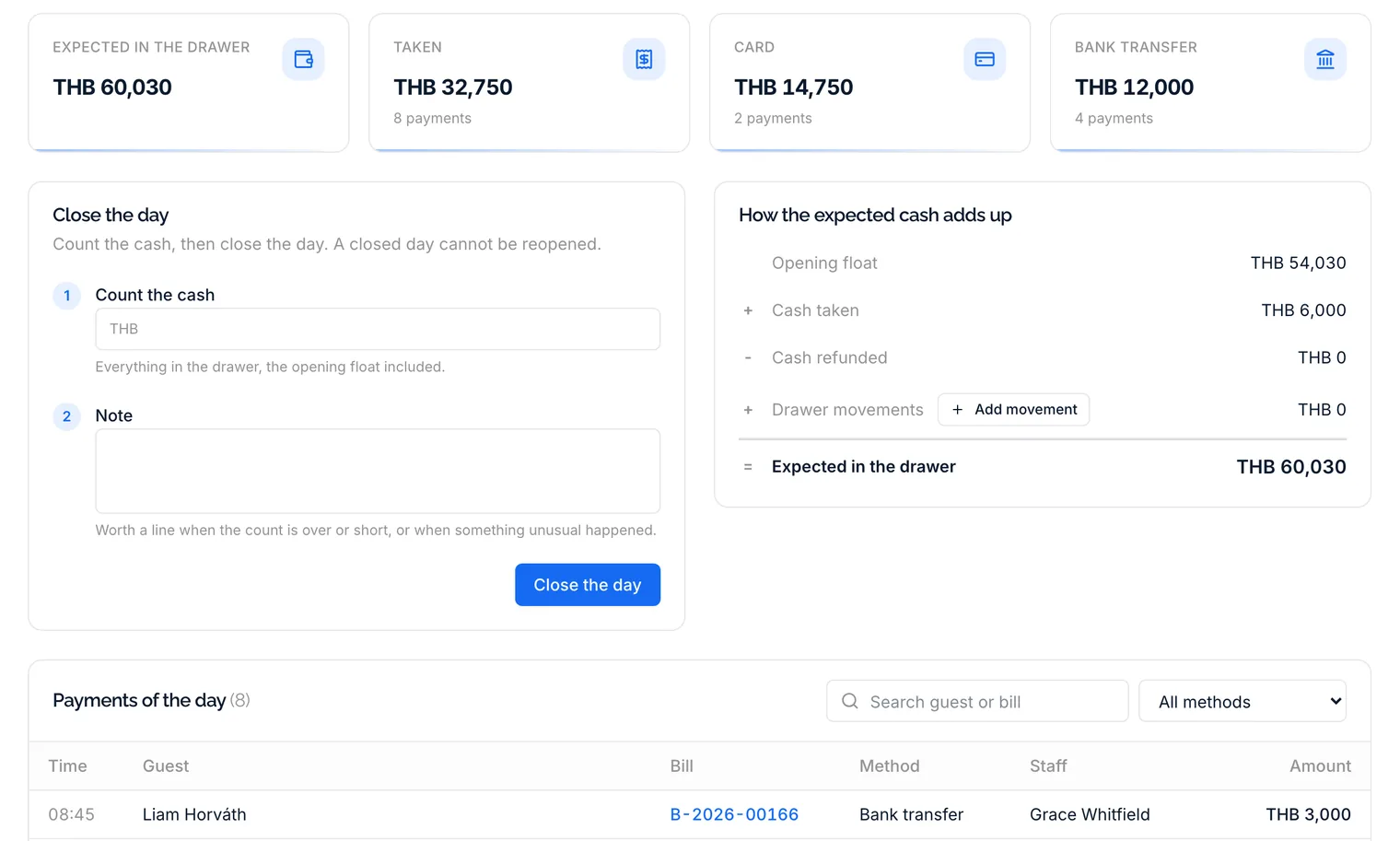
Pick a day and see the cash expected in the drawer, everything taken with the number of payments, and a figure for every other method such as card or bank transfer. The sum behind the expected cash is laid out line by line: the opening float, the cash taken, the cash refunded and the drawer movements.
- Every payment of the day, searchable by guest or bill
- Filtered by method, with what each person took
- Bank deposits, safe drops and floats as drawer movements
- Voided payments and reversals marked, never hidden
One count,
a day that stays closed
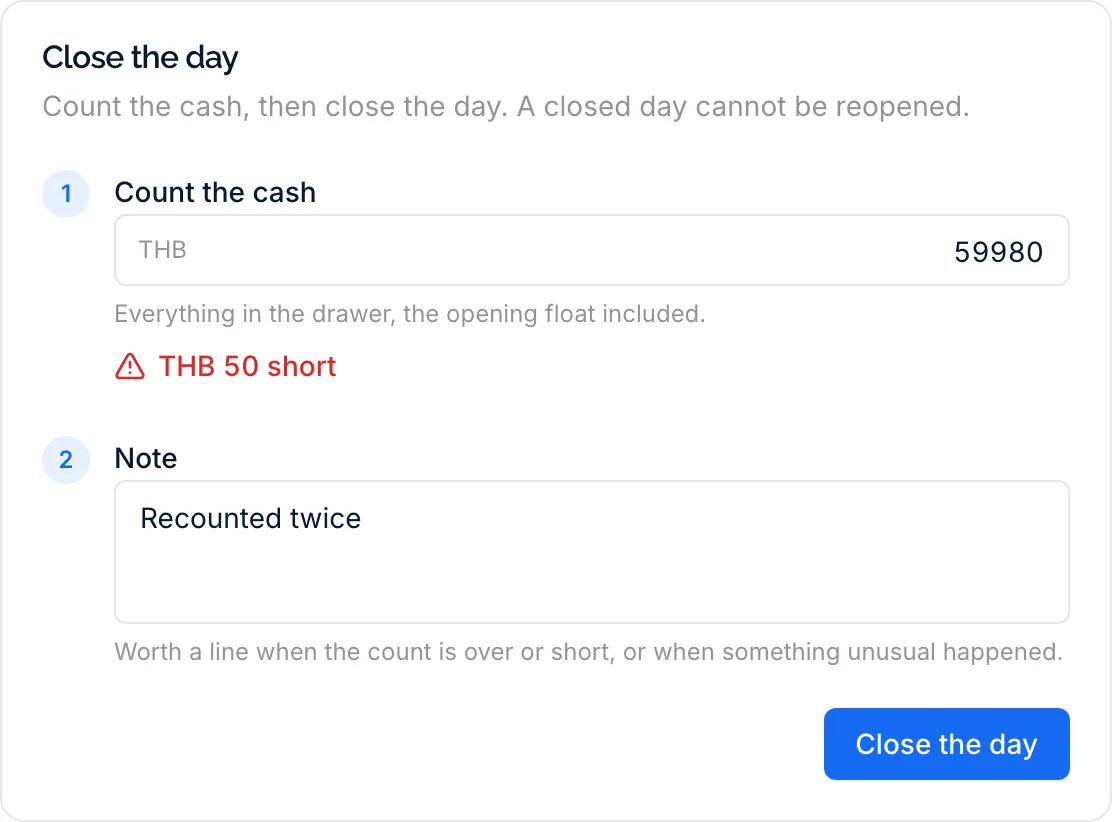
Count everything in the drawer, float included, and DivePilot shows as you type whether it matches or how much is over or short. Add a note and close. A closed day is final: a payment taken later counts for the next day, and voiding a payment of a closed day records a reversal on the current day, so the closed figures stay as they were.
- Matches, over or short, shown while you count
- Several open days closed together with one count
- No day can be skipped
- Who closed the day and when, kept on the day
Weeks and months,
without a spreadsheet
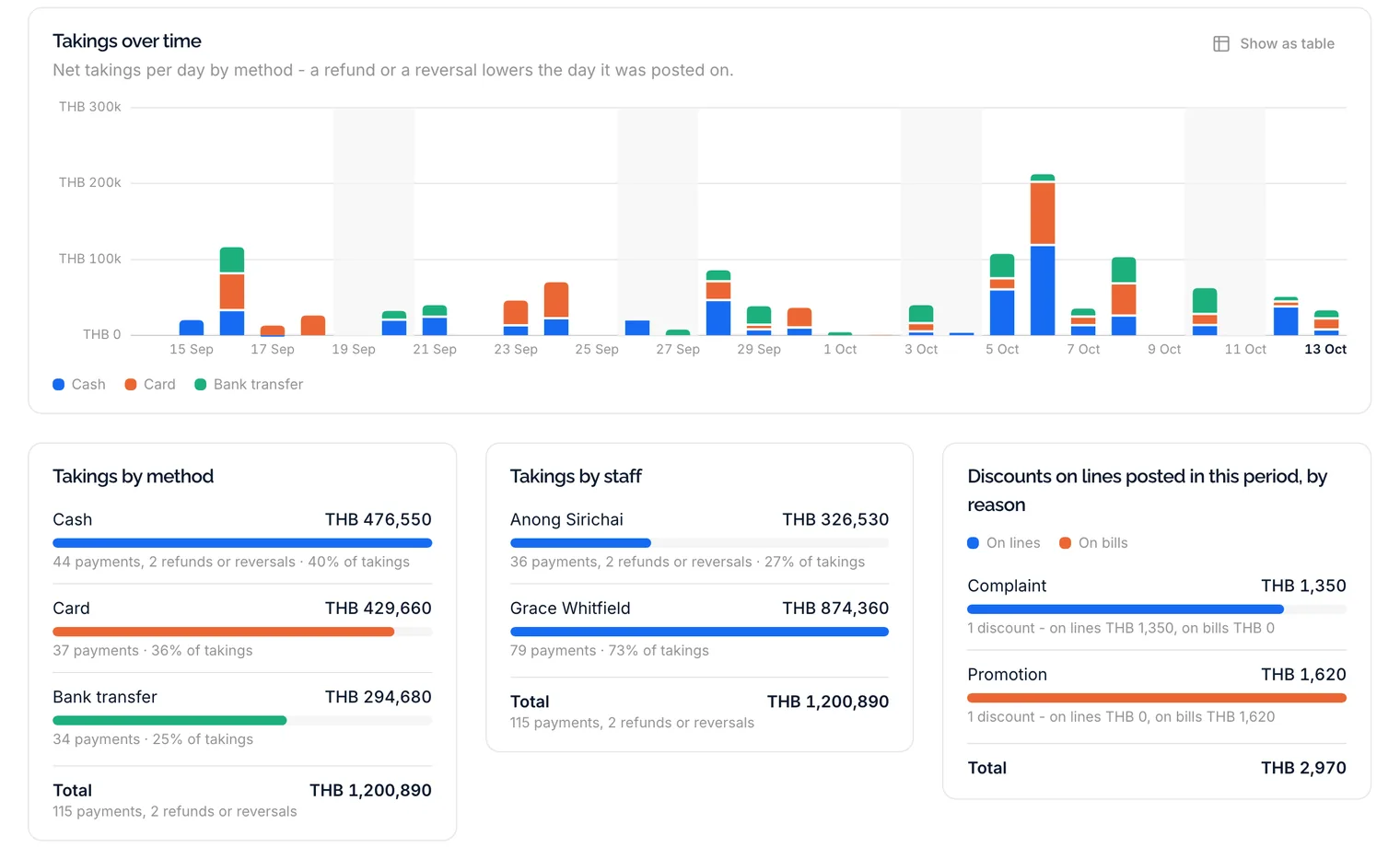
Pick this week, the last 7 or 30 days, this month, last month or any range up to a year. Cards compare the takings with the period before, a chart shows them per day, week or month split by payment method, and bars break them down by method, by staff member and the discounts by reason.
- Takings over time, split by payment method
- Takings by method and by staff member
- Discounts by reason, and prices changed by hand
- A CSV per day for your accountant
Small things that save the evening
What makes the count at closing time quick, and the figures something you can hand on.
Your payment methods
Cash, card and bank transfer to start with, plus methods of your own. Decide which ones count in the cash drawer, switch off what you do not take, and set their order.
Several days, one count
No close over the weekend? Closing Monday counts Saturday and Sunday with it, with each day's cash listed under the sum.
Own takings only
A guide or a desk helper can be allowed to see only the payments they took themselves, without the drawer figures or what others took.
On the dashboard
Today's takings, the last 14 days and a reminder when a cash day was left open, each shown to the people allowed to see it.
Fiscal notes per country
DivePilot is not a certified till. In Germany cash, and in Austria cash and card, start switched off with a note that explains why, and switching them on asks you to confirm that your own till stays the legal record.
Recorded, not processed
DivePilot records the money you received. The card terminal, the bank and the cash stay yours, and no payment passes through DivePilot.
Questions from the back office
No. DivePilot is not a certified cash register, and its bills are not fiscal receipts. It records what guests paid and helps you count the drawer; where the law asks for a certified till, that till stays your legal record.
No. A closed day is final. A payment taken after the close counts for the next day, and voiding a payment of a closed day records a reversal on the current day, so the closed figures never move.
Close the next one. One count closes every open day since the last close, the expected cash covers all of them, and the dashboard reminds the people who close the day when one was left open.
Yes. A report downloads as a CSV with a row per day, a column per payment method, the day's total, its payments and its refunds or reversals. Outside English it uses semicolons and decimal commas, so a spreadsheet in your language opens it in columns.
Whoever you give the permission. Seeing cash-up, seeing only your own takings and closing the day are separate permissions, so a guide can check what they took without seeing the drawer.
Close your first day tonight
Take a few payments on bills during the free trial, count the drawer in the evening and see the day add up.