
The invoice is ready
before the guest is
DivePilot turns the guest's bill into a numbered invoice when they settle up, issues a credit note when something changes afterwards, and gives every deposit its receipt. Each document comes in the guest's language under your letterhead, stays exactly as issued, and goes to your accountant in one export.
From bill to invoice
in one click
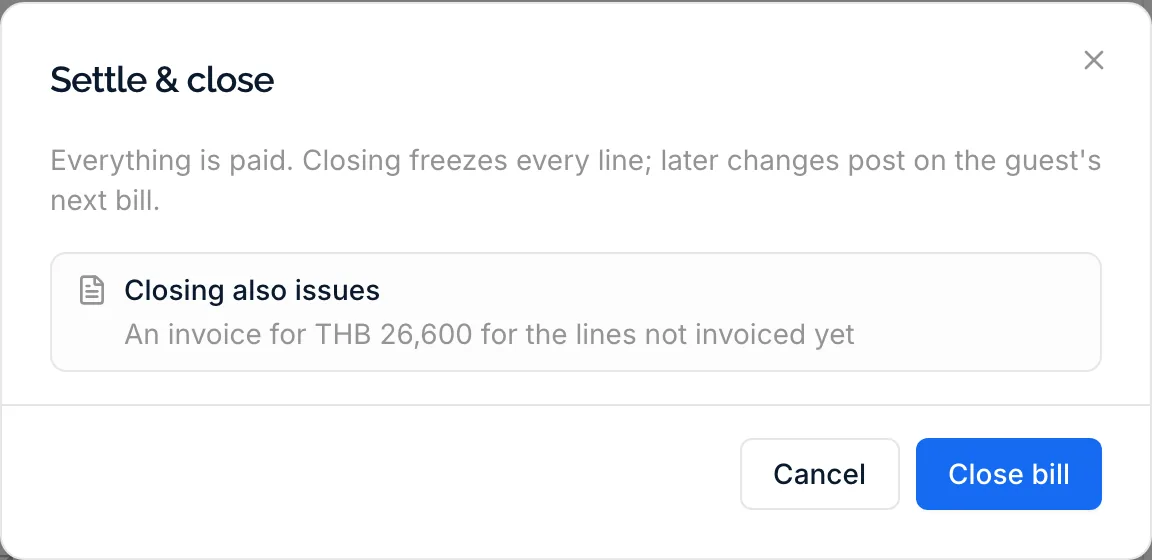
Settle & close issues an invoice for everything on the bill that is not invoiced yet, then closes the bill, and its window lists what it will issue before you confirm. Issue invoice makes one earlier, for a company that pays the first week of a long stay, with a preview of the invoice as it will look. A bill can carry several invoices, each with only its own lines.
- Invoices at Settle & close, or earlier with Issue invoice
- A preview before anything is numbered
- Invoiced lines locked and marked with their invoice
- Optionally emailed to the guest when the bill closes
Corrections,
never rewrites
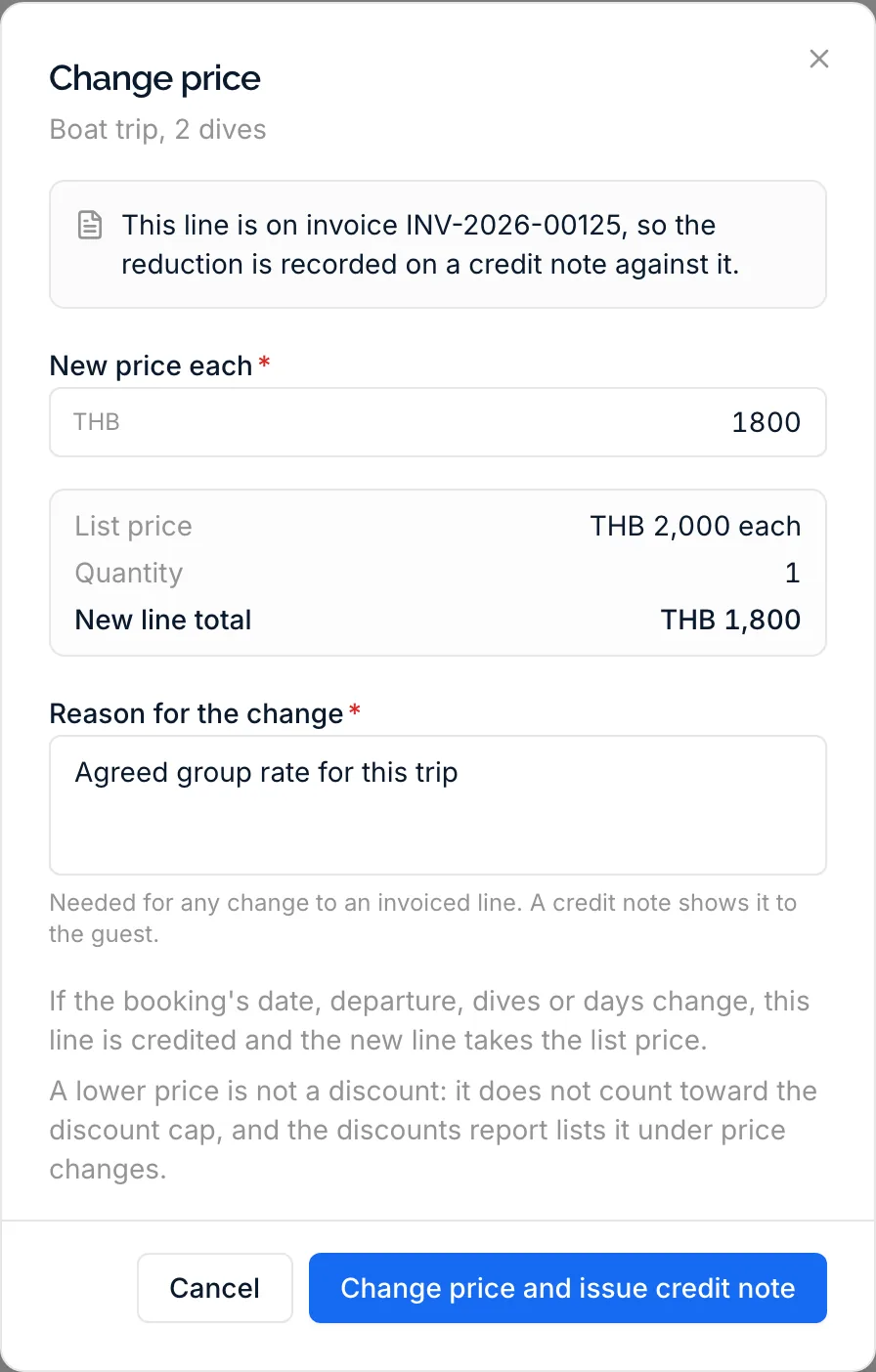
An issued invoice never changes. Void, discount or lower the price of an invoiced line and DivePilot asks for a reason and issues a credit note against that invoice at once; an increase goes on the next invoice. When a booking changes after it was invoiced, the reduction waits on the bill as To be credited and goes on a credit note with the next invoice or the close.
- A reason on every credit note, shown to the guest
- Original and correct value of the invoice side by side
- Booking changes gathered into one credit note per invoice
- A credit that would exceed the invoice is refused
The right buyer
on the invoice
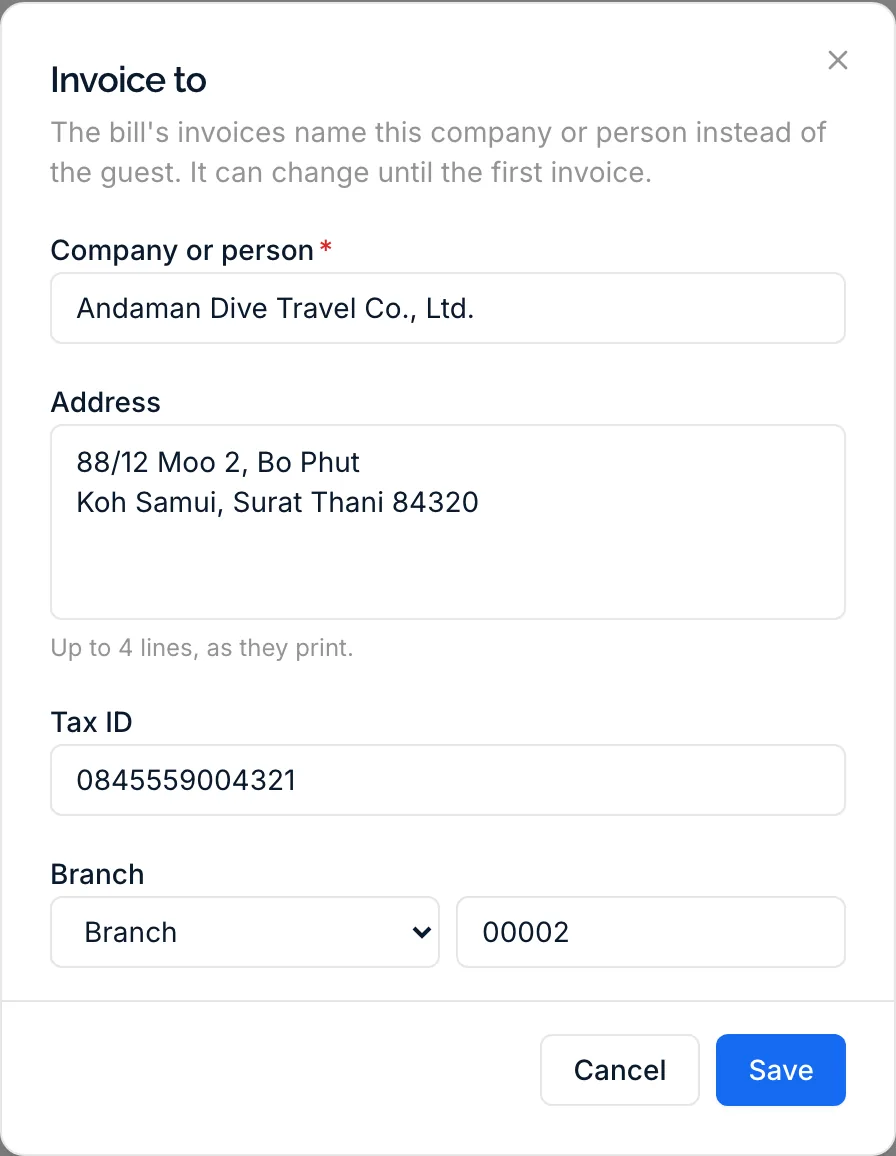
A document names the guest unless the bill says otherwise. Invoice to puts a company or another person on the bill, with an address, a tax ID and, in Thailand, the branch, until the first invoice. If an invoice still went to the wrong buyer, Correct buyer issues a credit note and a new invoice for the right one in a single step.
- A company or a person, with up to four address lines
- The buyer's tax ID and Thai branch on the document
- Locked once the bill has its first invoice
- Correct buyer, once per invoice, with a replacement invoice
The document
your country expects
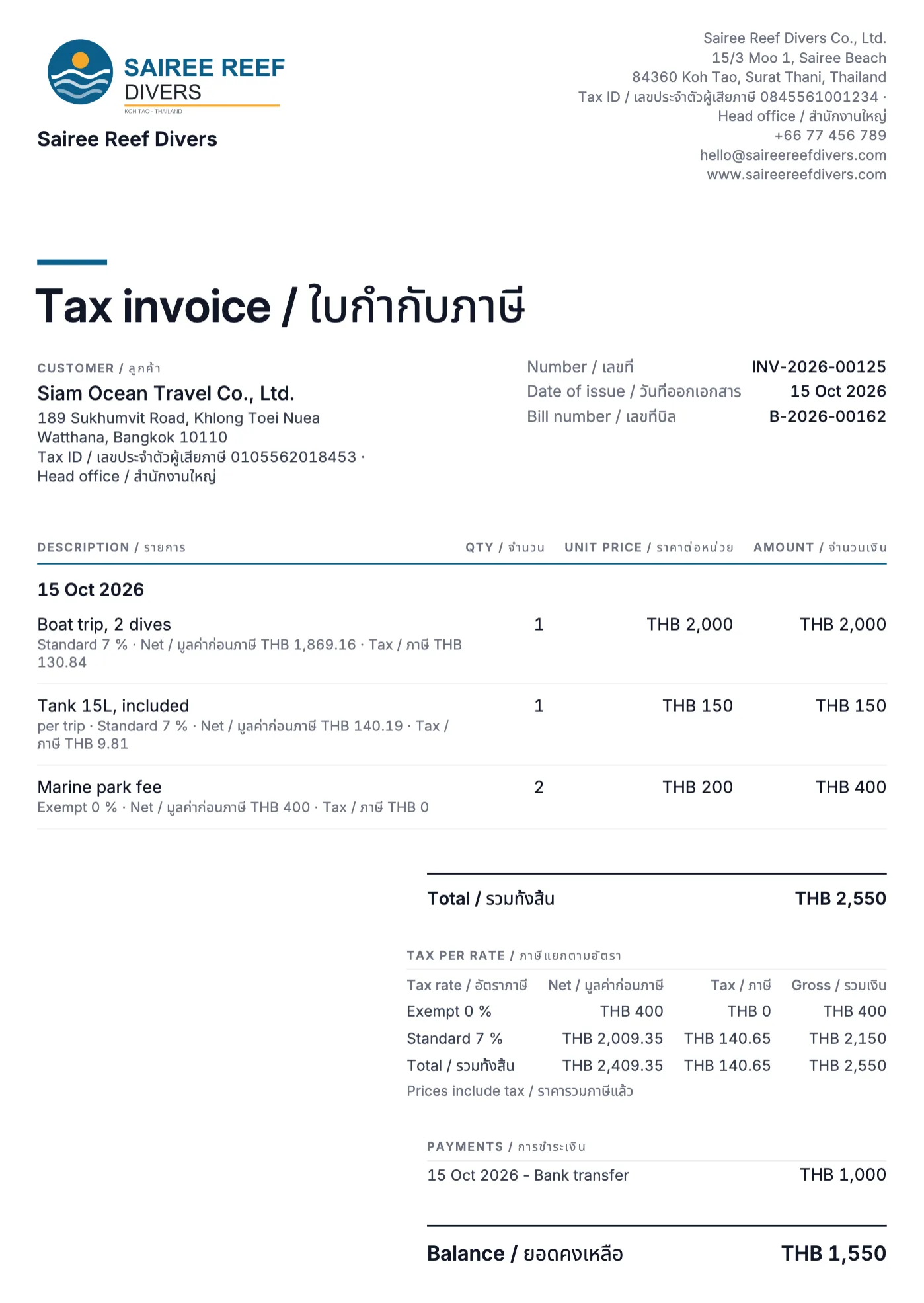
What a document is called and what it must show depends on your country, and DivePilot follows it: tax invoices where your business is registered for VAT or GST, invoices where that is what the law asks for, and a payment confirmation that says so where a certified fiscal system must stay your legal record. In Thailand every label is printed in Thai as well.
- Tax invoices, invoices or payment confirmations, as your country's rules say
- Every country's document on Invoicing by country
- Payment confirmations where a fiscal system is the legal record
- Your tax ID and branch checked before the first tax invoice
Everything issued,
on one page
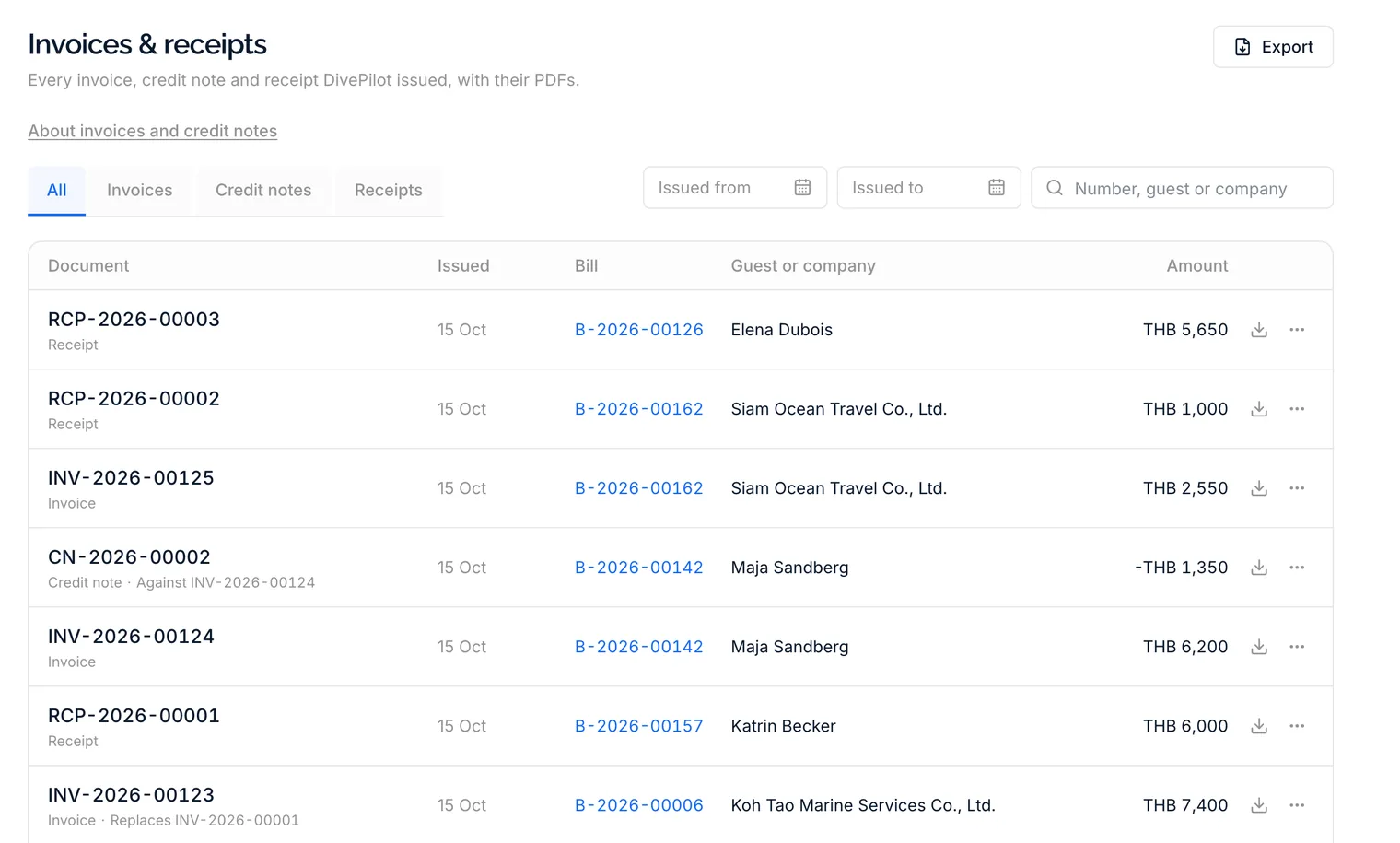
The Invoices & receipts page lists every invoice, credit note and receipt of your dive centre, newest first. Filter by kind and date, find one by number, guest or company, and download it or send it again in one click. The same page holds the exports your accountant asks for at the end of the month.
- Filters by kind and date, search by number, guest or company
- Download and send again from every row
- Documents, lines, payments and cash closes as CSV
- A month's PDFs as one zip file
What keeps the books straight
Receipts for money taken upfront, numbers your accountant can trust, documents that never change, and permissions that keep invoicing with the people you choose.
Receipts for deposits
Make a receipt for any payment in one click, or switch on automatic receipts for deposits and payments taken before the bill is invoiced. A voided payment keeps its receipt, marked payment voided.
Numbers without gaps
Invoices, credit notes and receipts each run in their own series per calendar year, from INV-2026-00001 onwards (PC-2026-00001 where DivePilot issues payment confirmations), with prefixes you choose. No number is ever skipped or removed.
Stored as issued
DivePilot stores the PDF the moment it issues a document, and every download returns that same file. Each document is written to the chained journal behind your bills, which shows if anything was altered afterwards.
Sent by email
Send any document to the guest from the bill or the Invoices & receipts page, with a message of your own and the PDF attached, from your dive centre's name. A failed email is flagged so you can send it again.
In the guest's language
Every document comes in the language of the guest's bill, under your logo and in the Classic, Modern or Compact design you chose for your bills.
Who may do what
Seeing documents, issuing invoices, setting the buyer, correcting it, changing invoiced lines, receipts, email, exports and the settings are ten separate permissions, so the desk issues and the owner decides.
Before you issue the first invoice
It depends on your country: a tax invoice once your business is registered for VAT or GST where the law allows one, an invoice where the law asks for that, and a numbered payment confirmation everywhere else, with your certified fiscal system or your country's official invoicing tool as the legal record. Invoicing by country lists what DivePilot issues in each country.
Numbered payment confirmations, credit notes and receipts for your guests and your own records, each saying it is not a fiscal receipt or tax invoice. Keep issuing the legal documents from your own system: in Italy the documento commerciale for a guest and, when the customer asks for an invoice, the e-invoice through the SdI, whose identificativo SdI you enter on the DivePilot document, invoices from your invoicing software in Spain, which must meet Verifactu from 2027, and in Germany invoices from your own software, with a certified till for cash as the cash register law (KassenSichV) asks.
No, and that is on purpose. An issued invoice is stored as it was and never changes. A correction is a credit note against it, with the reason shown to the guest, and a wrong buyer is fixed with Correct buyer, which issues a credit note and a replacement invoice.
Yes. Issue invoice makes an invoice for everything on the bill so far, for example for a company that pays the first week, and Settle & close later invoices only what came after. A bill can have as many invoices as it needs.
Your legal name and address in Business & tax, where your country needs them on an invoice. With Registered for VAT / GST switched on, also your tax ID, and in Thailand your branch. DivePilot tells you which field is missing before it issues anything, and the Invoices & receipts settings say what your country needs.
From the Invoices & receipts page, the documents, their lines with the tax per rate, the payments and the cash closes of any period as CSV files that open in Excel, Numbers or Google Sheets, and every PDF of a month as one zip file. DivePilot does not connect to accounting software; these files are what you hand over.
The documents are kept as they were issued, with the guest's name on them, because they are part of your accounting records. The guest's other details are erased as usual. Ask your accountant how long you must keep them.
Issue your first invoice this week
Your bills already know what the guest bought, so the first invoice writes itself. Try it inside the free trial with your own business details and your own number prefixes.