
Every boat of the departure.
On one screen.
Hang a TV in the shop or on the jetty and it shows who goes on which boat, in which group, with which guide - and who has checked in. Divers find their group without asking, and your team sees what is still missing at a glance.
Who dives with whom,
readable from across the room
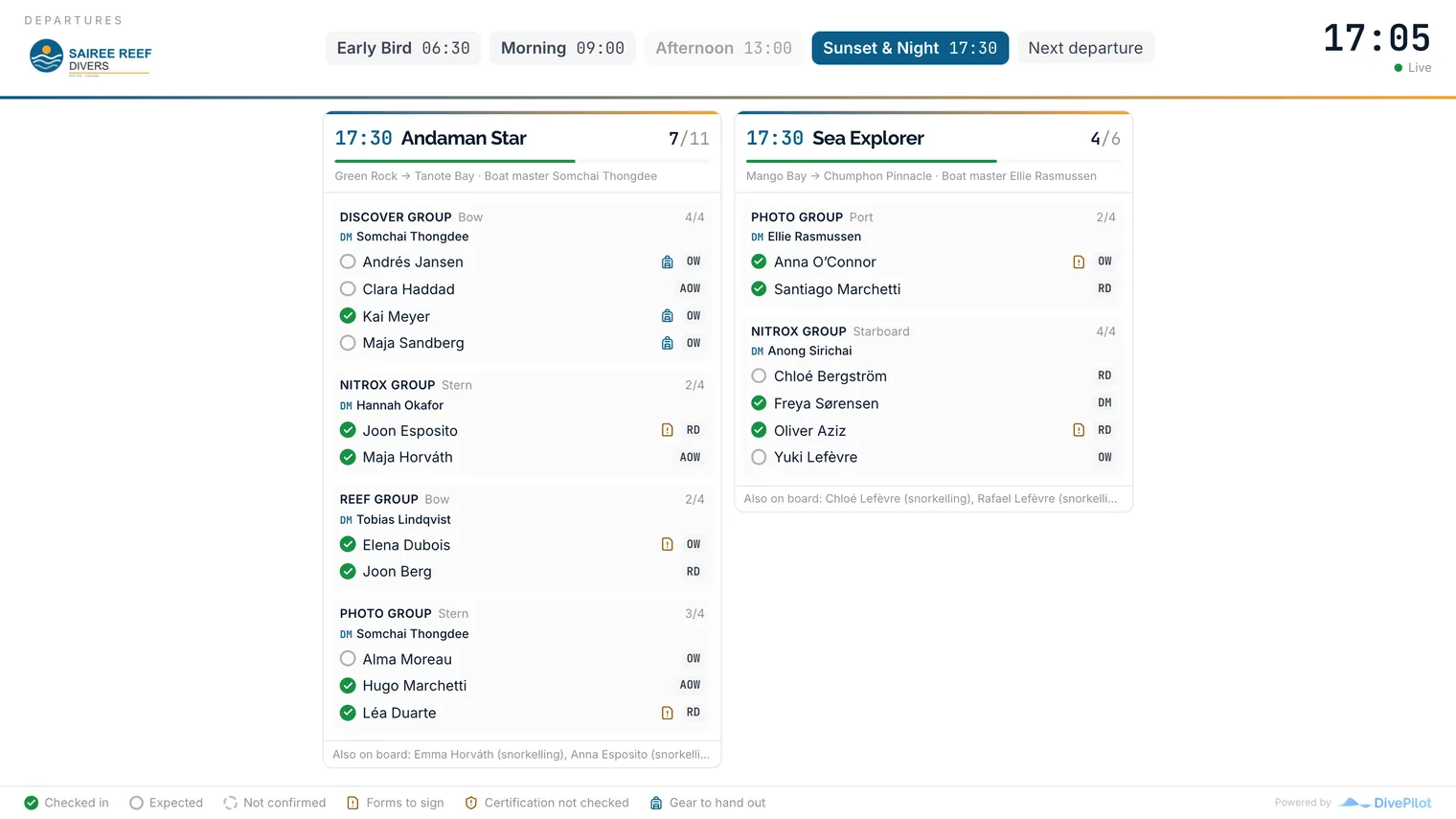
Each boat of the departure gets a column: time, boat, dive sites and boat master on top, then every dive group with its instructor or divemaster and its divers. A green tick for everyone who has checked in, their highest certification as a short code, and a small mark where a form, a card check or rental gear is still open.
- Every boat of the departure side by side
- Groups with their instructor or divemaster on top
- Checked in, expected, not confirmed or no-show at a glance
- Guests without a group yet listed under their boat
Nobody touches
the TV again
Open the link once on the TV and forget about it. The board keeps itself current, jumps to the next departure when the last boat has left, and says so when it loses its connection. Each screen can have its own look, light for a bright shop, dark for a jetty at dawn, and a change reaches the screen without anyone walking over to it.
- Updates every 15 seconds, no refresh button
- Follows the next departure through the day on its own
- Light, dark or following the screen's own setting
- Open it full screen from any logged-in computer too
Empty seats,
sold from the wall
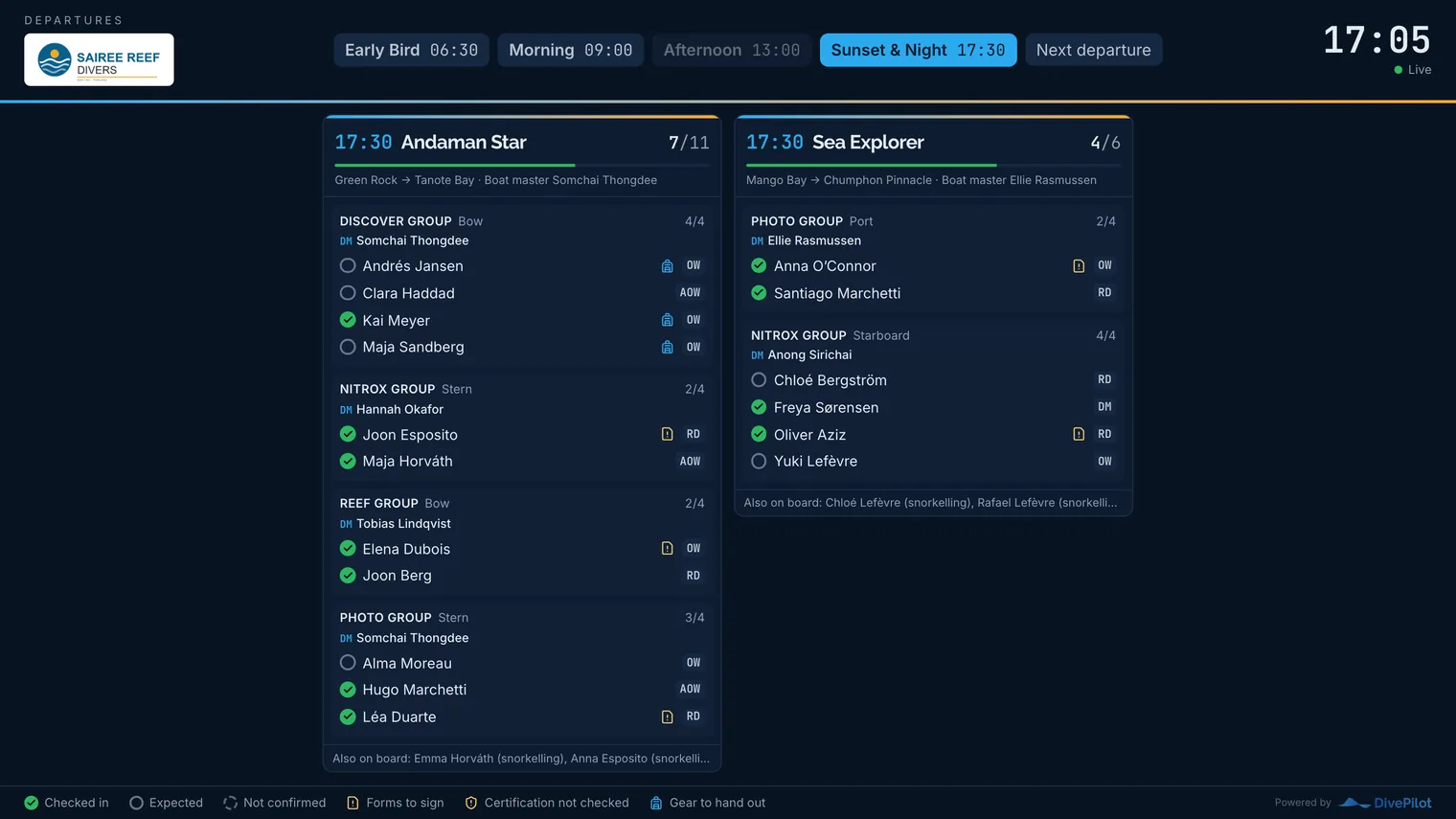
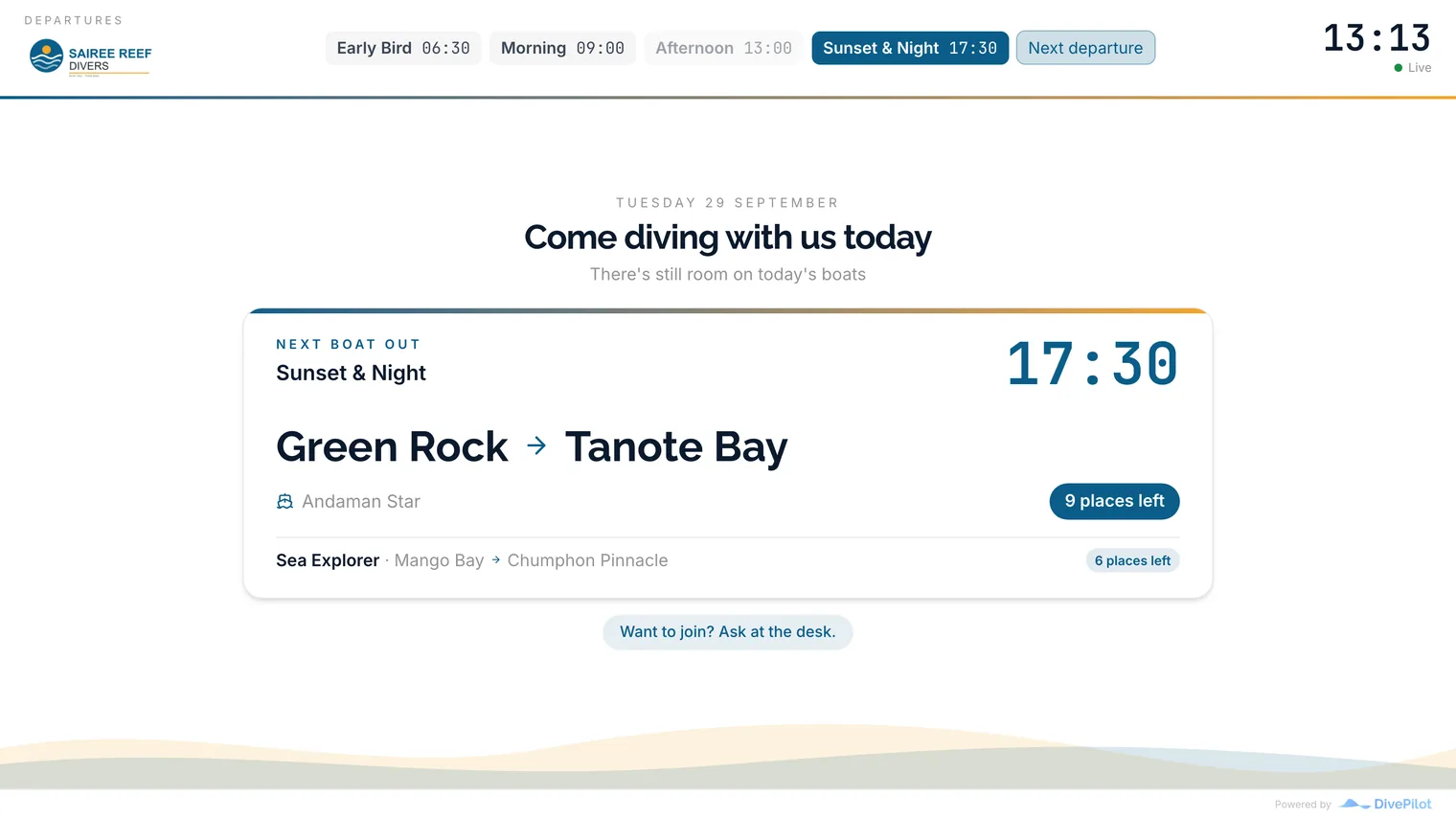
A screen in the shop window or at the entrance can sell the dives you still have room on. It lists today's departures that have not left yet, each boat with its dive sites and how many places are left, and invites anyone reading to ask at the desk. Once the last boat of the day has gone it promotes tomorrow's. In combined mode the same screen sells until an hour before a departure, alternates between both for the next half hour, and shows the departure itself while the boats are loading.
- Today's departures still to leave, with the places left on each boat
- Boats, dive sites and times guests can plan around
- Moves on to tomorrow's dives once today's have left
- Combined mode: sells in the morning, informs at departure
Small things that save the morning
The things that make a board on the wall work for a busy dive shop, not just look good in the brochure.
Check-ins at a glance
Each boat shows how many of its divers have arrived, with a bar that fills up. The desk knows who is still missing before the boat master asks.
Certification as a code
Every diver's highest valid certification as a short code, AOW, RD, DM. Cards marked as not valid are left out, and a shield flags one nobody has checked yet.
What is still open
A mark next to anyone with a form still to sign, a card to check or rental gear to hand out. Sorted before the boat leaves, not on it.
Short names in public
Show guests as first name and initial on a screen the public can see. Staff always keep their full names so divers know who to look for.
Your branding
Your logo on top and your colours on the times and buttons, in light or dark. It looks like part of your shop, not like our software.
One link per screen
One link per screen, managed in the settings. Replace a link in one click if it got out, and see when each screen last loaded the board.
How it actually works
No. Each screen gets its own private link that opens the departure board without a login. Open it once in the TV's browser and leave it running.
Anything with a web browser: a smart TV, a streaming stick, an old laptop or a tablet on the wall. The board scales its text to fit the screen, and keeps the screen from going to sleep where the browser allows it.
No. The board checks for changes every 15 seconds and moves on to the next departure by itself, half an hour after each one leaves. A check-in at the desk shows up on the TV a few seconds later.
Only if you want them to. Each screen can show guests as first name and initial, while your staff keep their full names. A link that got out can be replaced or switched off in one click.
Yes. In promotion mode the screen shows today's departures that have not left yet, each boat with its dive sites and places left, and asks passers-by to join at the desk. In combined mode it promotes until an hour before a departure, alternates for the next half hour and shows the departure itself from then on.
Put the next departure on the wall
Open a trip, press Board, and see the departure the way your divers will. It is part of the free trial.