
From "can I dive
tomorrow?" to a seat
Every booking gets a number, a status and a departure slot the moment it exists. Follow it from reserved to confirmed to completed, see which dive group it ended up in, and get told about the ones that never made it onto a boat.
Six states,
no grey areas
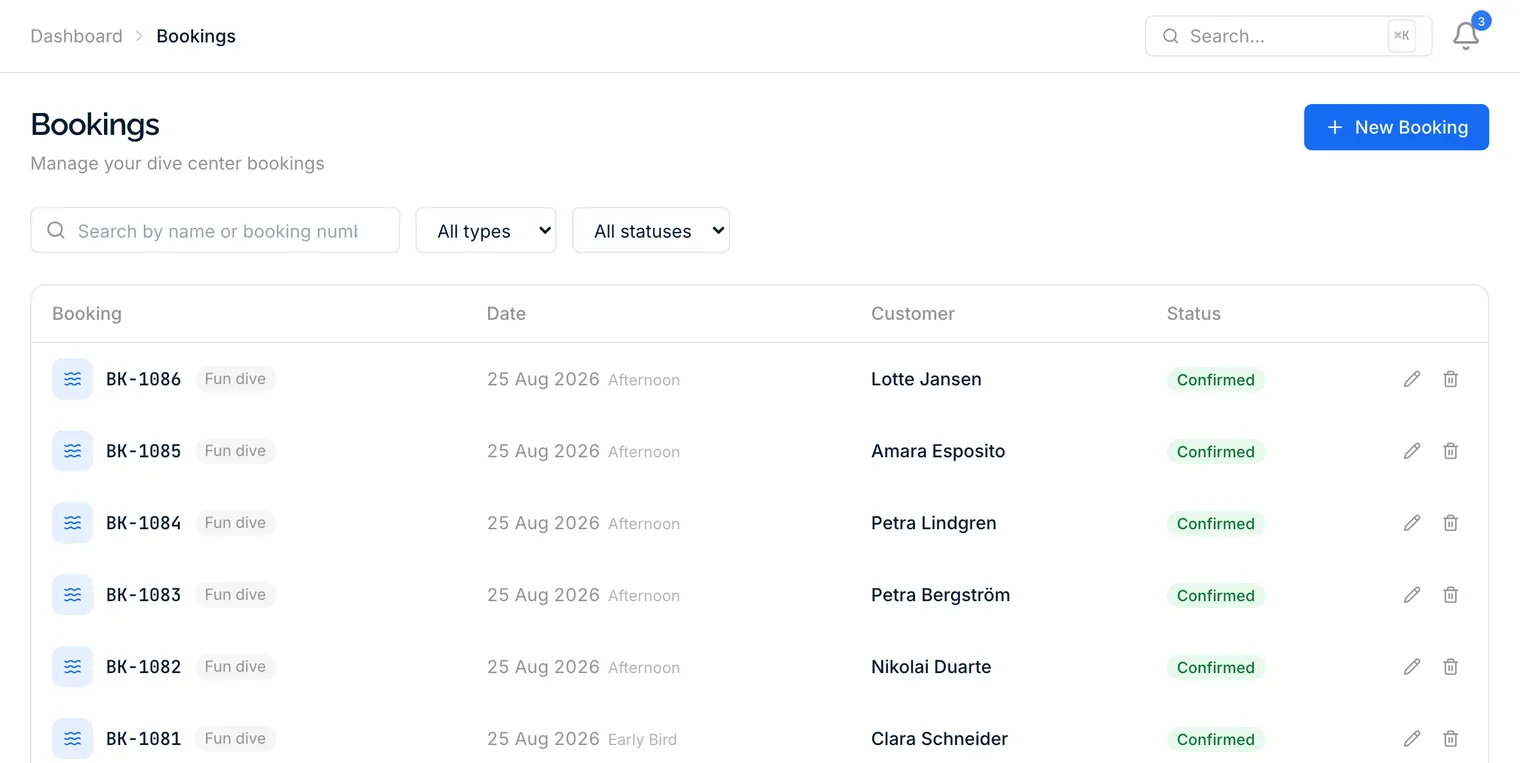
A booking is reserved, confirmed, checked in, completed, a no-show or cancelled. Nothing else. Every diver on tomorrow's boat is in one of those buckets, and so is every diver who stopped answering their phone.
- Its own booking number, from the first minute
- Fun dive or course, marked on the row
- Sorted into the departures you actually run
- Filter by status, type, date or diver
Where they are,
and who they're with
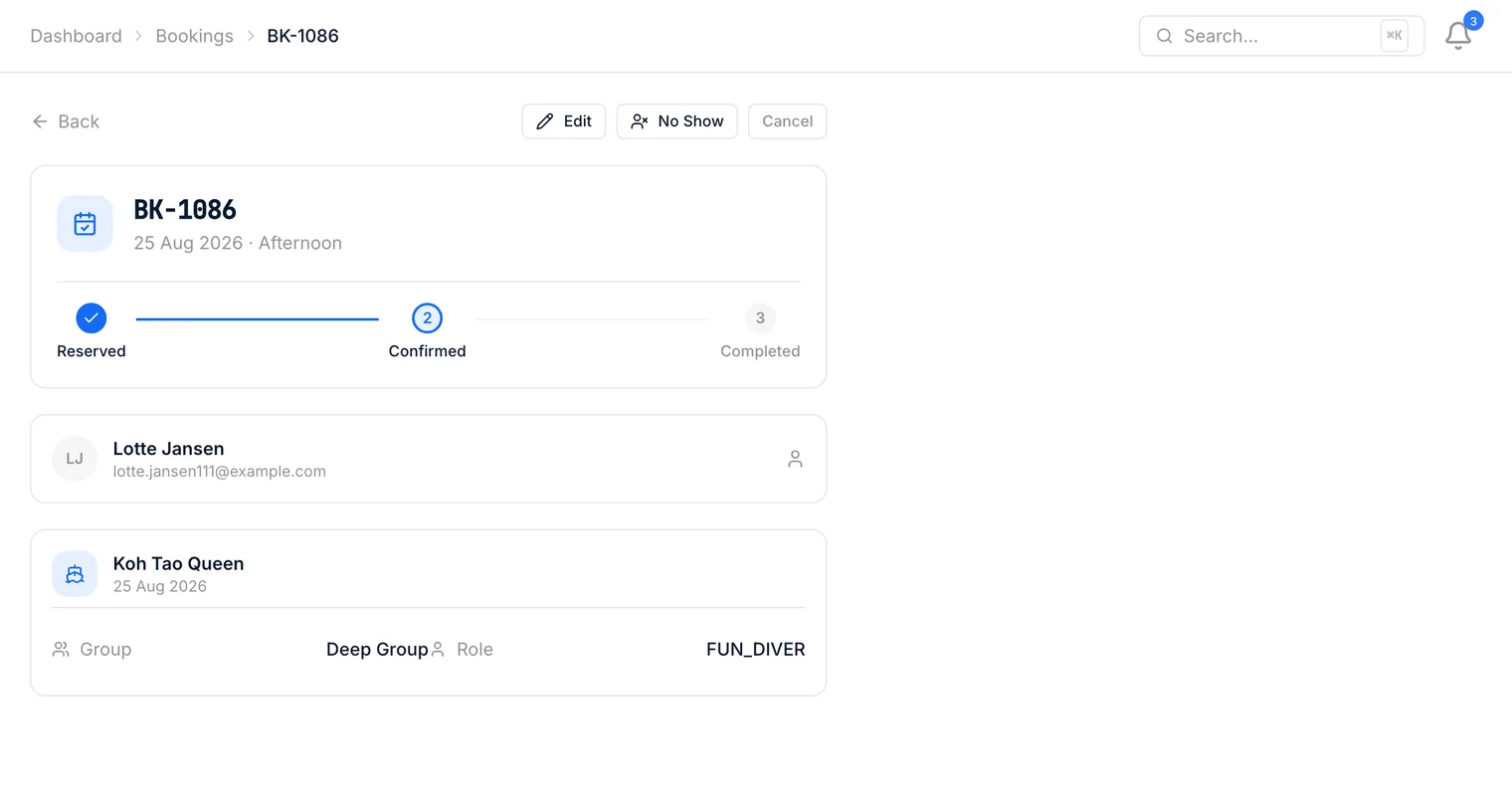
Open a booking and you see the whole chain: the diver, the trip they are on, the boat, the departure, the dive group they were put in and even their seat. For a course booking, the enrollment sits right there too. At the desk, an arrival checklist shows what is still missing - waivers, certification, gear, details - with the fix next to each item, and one button checks the guest in. Scanning the check-in code a guest got by email opens it straight away.
- The trip, the boat and the departure time
- The dive group, and whether they lead it
- Their seat label once seating is done
- The course enrollment for course bookings
The list that tells you things
A booking list is only useful if it argues with you when something is wrong. This one does.
Orphaned booking alerts
A booking for a date with no seat on any trip is flagged on the dashboard. The diver who booked three weeks ago does not quietly fall through.
A visible progress line
Reserved, confirmed, checked in, completed - drawn as four steps, not guessed from a coloured dot. Cancelled and no-show break out of the line entirely.
Filters that actually narrow
Status, booking type, date and diver. The one booking you are hunting is two clicks away instead of a scroll through high season.
Book straight from a profile
A returning diver at the counter does not need looking up twice. Start the booking from their profile and they are already filled in.
No-shows stay on the record
A no-show is a status, not a delete. Next season, when the same name books again, the history is still attached to them.
Your departures, not ours
Bookings drop into the slots you defined - morning, afternoon, night, or whatever your shop calls them, with the times you actually leave the pier.
The awkward questions
It is flagged as an orphaned booking on the dashboard: a confirmed diver for a date with no seat on any trip. You find out while there is still time to fix it, not when they show up at the pier.
Yes. A booking is either a fun dive or a course. A course booking carries the course template and links straight to the student's enrollment, so the booking list and the course roster never disagree.
Both are statuses in their own right rather than a deletion. The booking stays on the customer's record, so a repeat no-show is visible the next time that name comes back to the counter. A no-show marked by mistake is one click to undo.
In this same list, as ordinary bookings with their own numbers. There is no separate inbox to check and nothing to copy across - a booking made on your public page at midnight is on the same screen as one taken at the counter.
Yes. Tick Nitrox on the booking and the diver is marked on the trip, on the departure board and on the printed trip checklist. If you offer nitrox, guests can choose it themselves when they book online.
Yes. Add several customers and several dates in the New booking dialog and DivePilot creates one booking per person and date, booked together. The page of that booking lets you use Confirm all, Cancel all or Add departure, and online guests can book for several people the same way.
Close the booking spreadsheet
Move one week of bookings across and see whether anything still needs the old file. 90 days to find out.