
Every regulator,
accounted for
Your inventory as it really is: serialized items with a service history, pooled stock counted by size, and a rental desk that knows what is out, what is due back and what is overdue before anyone asks.
Know what you own,
and what state it's in
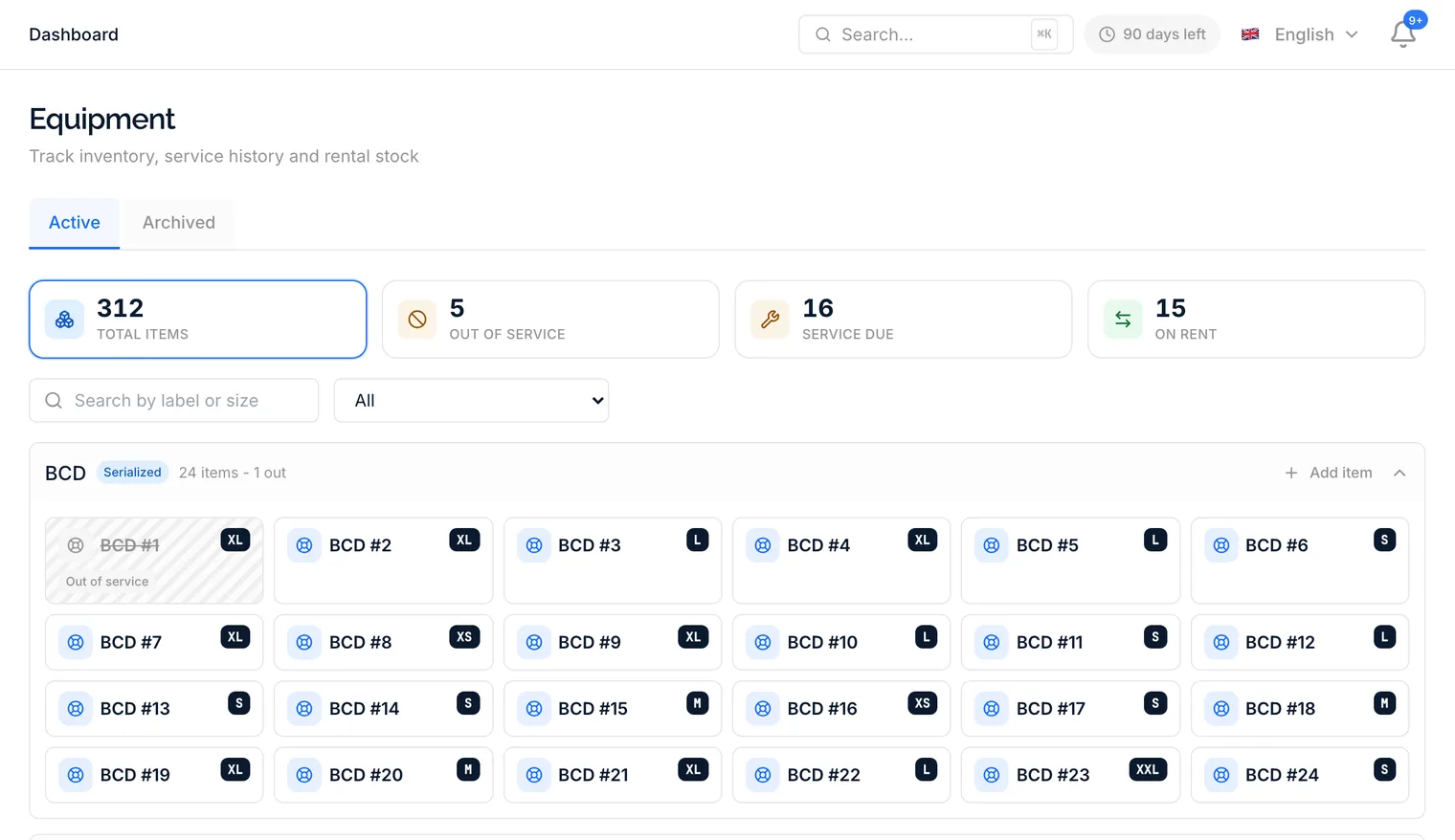
Categories hold pooled stock by size for the wetsuits and fins nobody tracks individually, and serialized items for the regulators, computers and BCDs you do. Each serialized item carries an append-only service log and its own due dates, so the strip at the top tells you at a glance what is out of service, what is due and what is on rent.
- Pooled stock by size, or serialized items with their own history
- Service rules per category, with due and overdue flagged on the tile
- Out-of-service items drop out of availability automatically
- Archive what you retire - rentals and history stay intact
Rent it out,
get it back
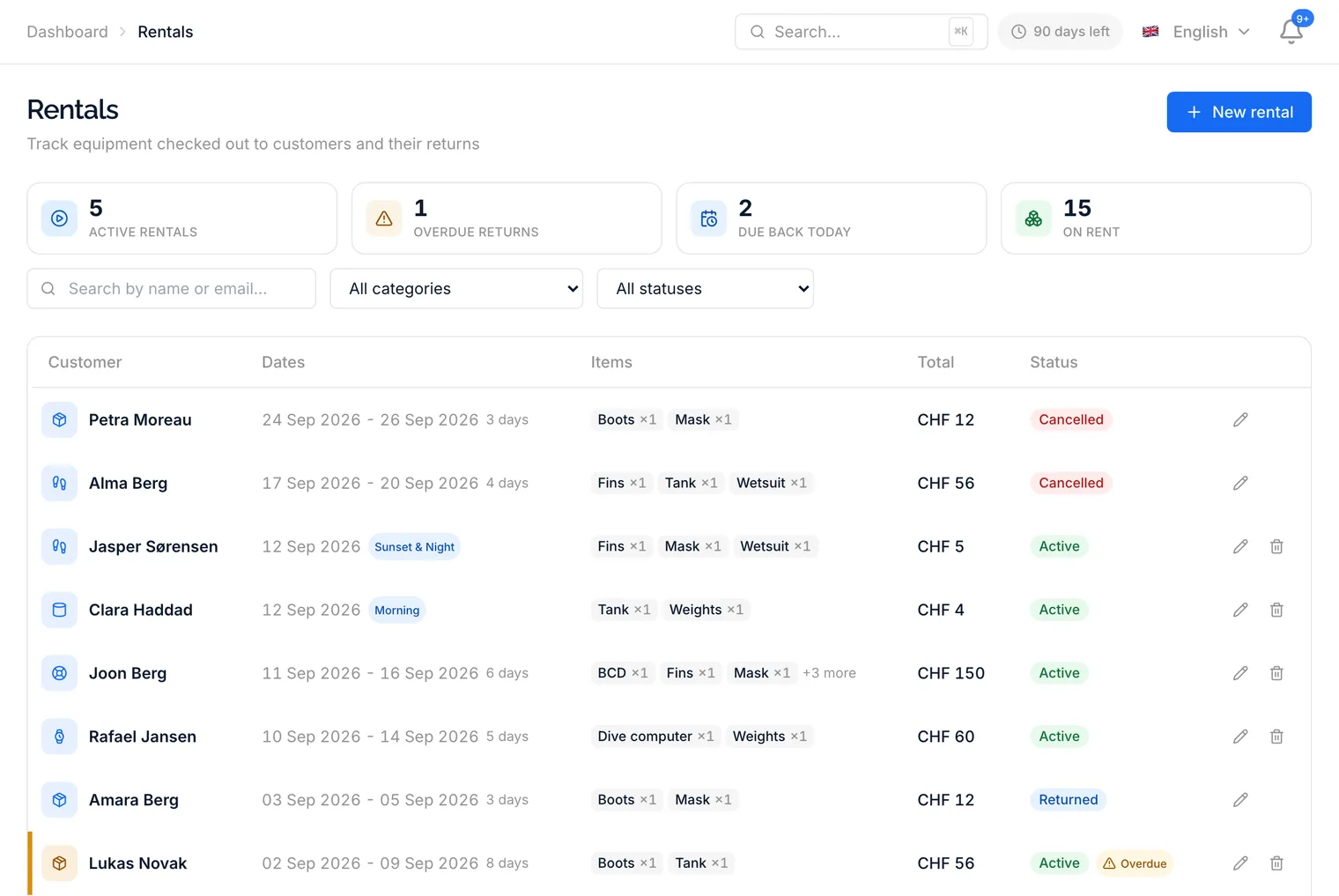
A rental is a customer, dates and a list of lines. Availability is checked as you build it against stock, items and every open rental, so you cannot hand out the ninth medium BCD when you own eight. Prices are snapshotted at checkout, returns happen per line, and the overdue ones surface on the desk and the dashboard.
- Availability checked line by line before checkout
- Kits priced as sets, with the saving shown against buying separately
- Return the whole rental or one item at a time
- Overrent knowingly with an inline warning rather than a blocking dialog
From the booking to the boat
Gear stops being something the desk finds out about on the morning of the dive.
Guests choose online
When someone books or registers online, they say per item whether they bring their own, need to rent it or do not need it, with sizes and kit prices where you show them. That lands on their booking and their profile.
Requests in staff bookings
Booking someone over the counter? Capture their equipment requests right there, sizes synced to the customer profile, so the next booking already knows.
Prep on the trip page
The trip page lists what each diver requested and what has been handed out, with one-click fulfilment, and gear prep joins the departure check next to waivers and the boat master.
Kits
Bundle categories into a kit with its own price. Guests get one tap for a full set, staff get the same in the rental modal, and the price snapshot keeps the set together.
The dashboard knows
On rent, due back today and overdue sit on the dashboard beside upcoming equipment services, so nothing waits for someone to open the rentals page.
Sizes remembered
A size given once, at a booking or a registration, is written to the customer profile. The rental history is on the customer page too.
Practical questions
No. Serialize what you service or want to trace, like regulators, computers and BCDs, and keep the rest as pooled stock counted by size. A category can be either.
The rental goes overdue at the end of its dates and shows up as such on the rentals desk and the dashboard. When it comes back you return it; if the dates simply need to change, edit the rental and the end date moves.
Only if you switch that on. With prices shown, the online gear step displays per-day or per-trip rates and a running total; without it, guests just pick what they need.
That is the idea. Stock, items, service due dates, who has what and what it cost live in one place, and the customer, booking and trip pages all read from it.
Put your gear on the books
Start with the categories you rent most, add serial numbers where they matter, and let the desk take it from there.