
Guests book
while you're on the boat
Your own booking page for fun dives and courses, reached by a link or a printed QR code. Divers pick a departure, fill in their own profile and land in your booking list with a booking number - no WhatsApp thread, no re-typing, no double-booked boat.
Real departures,
real spots left
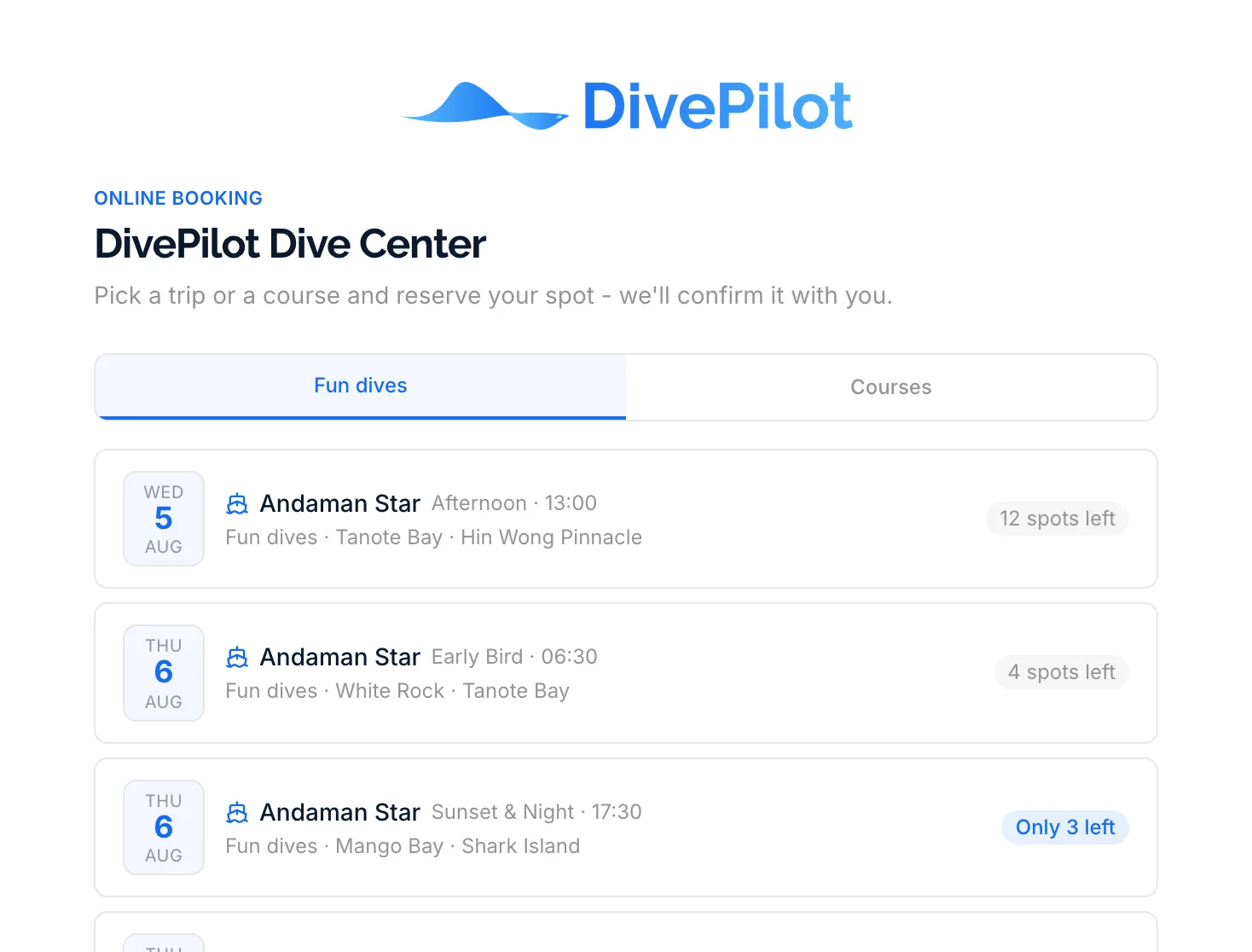
Every trip card is the actual trip: the date, the departure slot and its time, which boat, which dive sites and how many spots are still free. Nothing is a placeholder, because it is read straight out of the same calendar your staff work in.
- Only published trips appear, from today onwards
- A trip disappears from the page the moment it fills up, and several people are booked only when every trip has room for all of them
- Boat, departure time and dive sites shown per trip
- Courses list their agency, template and start date
Four settings,
not a support ticket
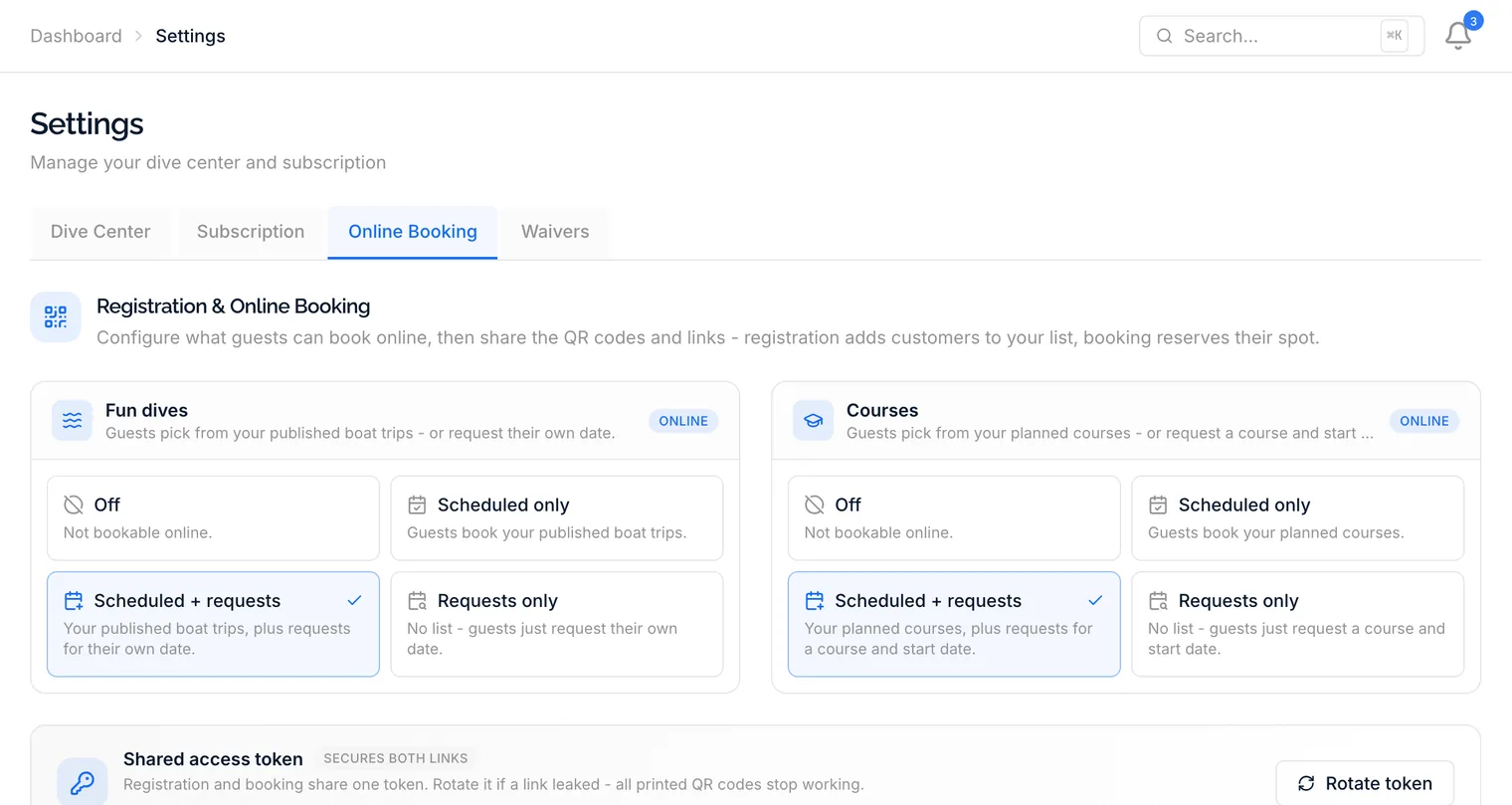
Fun dives and courses are configured separately, and each has the same four choices. Run a fully public schedule, take requests only, do both, or keep one of them closed while the other stays open. Changing your mind is a click, not a migration.
- Off - not bookable online at all
- Scheduled - guests book what you have published
- Scheduled + requests - your list, plus other dates
- Requests only - no list, guests just ask for a day
Your logo, your colours
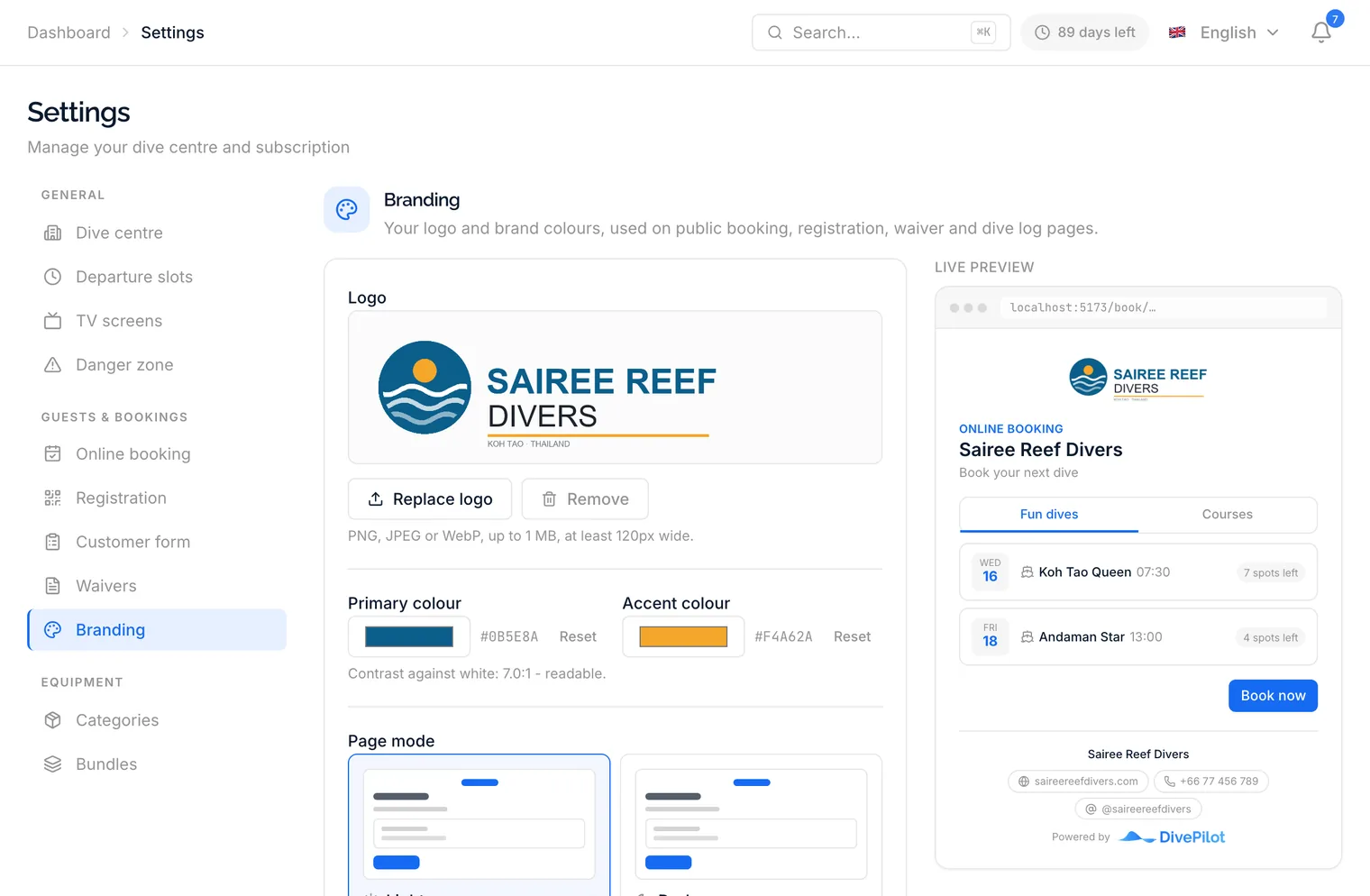
Guests see your dive centre, not a generic form. Upload a logo, pick a primary and an accent colour, choose light or dark, and the booking, registration, waiver and dive log pages follow, along with the emails guests receive. A live preview of the real booking page shows the result before you save.
- Any logo shape - wide, square or tall - fitted to the page
- Light or dark pages, your choice
- Website, phone or WhatsApp and Instagram in the footer
- Your link by dive centre name, or a secret token you can rotate
What it costs,
before they ask
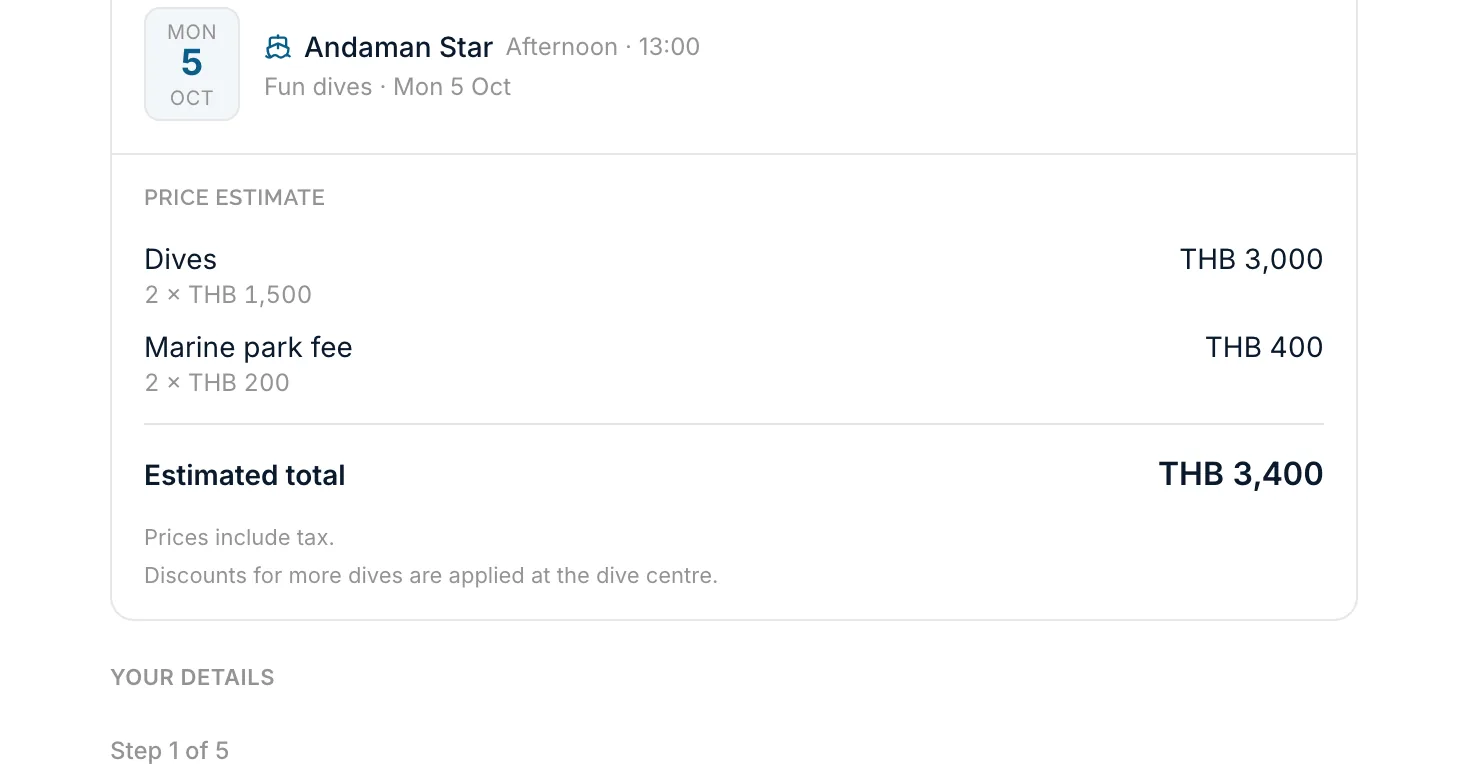
Switch on prices and the booking page shows what each trip, course and piece of rental gear costs, taken from your price list with season prices applied. Once a guest picks a trip or a course, their booking summary carries an estimate, line by line, that grows with the gear and nitrox they choose. Leave it off and the page shows no prices at all.
- Trip, course and gear prices for the day being booked
- Automatic fees, included extras and your volume discounts in the estimate, per person
- Nitrox as an option, with its price per dive
- A live total next to the button that sends the booking
A booking, not a message to answer
The point of an online booking is not the booking. It is that the diver has already done the paperwork you would otherwise be typing at the counter.
A real booking number
The request becomes a booking in your list with its own number, ready to confirm and assign to a dive group like any other. The guest gets a check-in code on screen and by email, and the links to sign their waivers when you want them to.
The full diver profile
The person booking walks the same four-step form your counter uses: personal details, address, diving experience and certifications, health and equipment sizes. Everyone they book for gives a name, a language and every detail you mark as required, and can complete the rest later through their own link. They read all of it in the language they pick at the top of the page.
Certifications up front
Agency and level are captured while booking, so you know who is Open Water and who is a Divemaster before you plan the groups.
Your terms, accepted
Nobody submits without ticking your terms. The acceptance is recorded with the booking rather than assumed.
Departure times you offer
Custom date requests can only name a departure slot you actually run. No 04:00 requests, no slots you retired last season.
Your link, your way
Share the page by your dive centre name, or switch to a secret token when you want an unguessable link. If a token ever leaks, rotate it once and every printed QR code stops working.
Before you open the doors
No. Only trips you have published appear, only from today onwards, and only while they still have spots left. A full trip drops off the page on its own, so nobody books a seat that does not exist.
Yes, if you want them to. Each of fun dives and courses can be set to your scheduled list only, your list plus custom date requests, requests only, or switched off entirely. A custom request has to name one of the departure times you actually offer.
No. An online booking arrives as a normal booking with its own booking number, and the guest's profile, certifications and health details are already attached. You assign them to a group and you are done.
Only courses you have marked as publicly bookable, that are still in planning and start today or later. Guests can browse by course type first, so an Open Water student is not scrolling past your Divemaster programme.
No. DivePilot takes no payment. With prices switched on, guests see an estimate of their booking before they send it, and your dive center confirms the final amount with them.
Yes. One booking holds as many people as you allow, 8 to start with and up to 20, set in Settings > Online booking. The person booking fills in their own profile, everyone else a short form with the details you require, and each of them gets their own booking, check-in code and waiver links, booked together so you can confirm or cancel them at once. A booking for one person works as before.
Yes. Guests can add several trips to one booking, or ask for a number of dives between the first and last day of their stay, which you then put on trips from a Dives to schedule list. You choose how many dives one person may book at once, 10 to start with and up to 30.
Put the QR code on the door
Publish a trip, switch on online booking and share the link. The first booking can land tonight, inside the free trial.