
Every price,
in one list
Dives, departures, courses, extras and rental gear priced in one place, with seasons that come round every year. Your booking page shows guests the same numbers, and the list prints as a PDF with your letterhead.
Write it down once,
use it everywhere
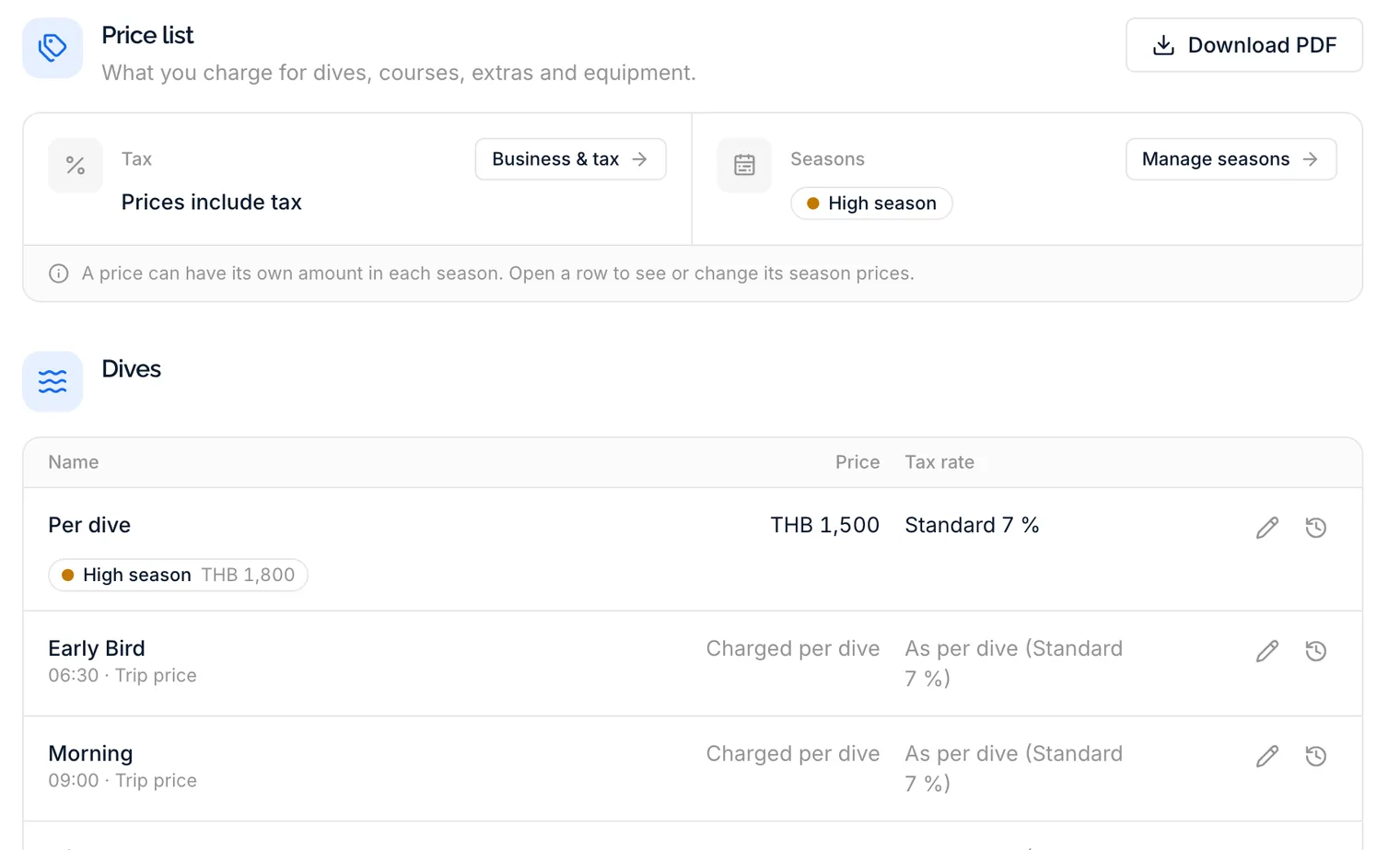
Settings holds one price list in four sections: dives, courses, extras and fees, and equipment. Each price is a row with its amount and tax rate, and opens in one window to change it. The booking page, its estimate and the rental desk all read from the same list, so a price changed here is changed everywhere.
- A price per dive, and a trip price for any departure you charge as a whole
- Course prices with included extras, such as an eLearning code
- Rental rates per day and per trip for every category and kit
- Extras and fees charged per dive, per boat trip or once per stay
High season,
every year
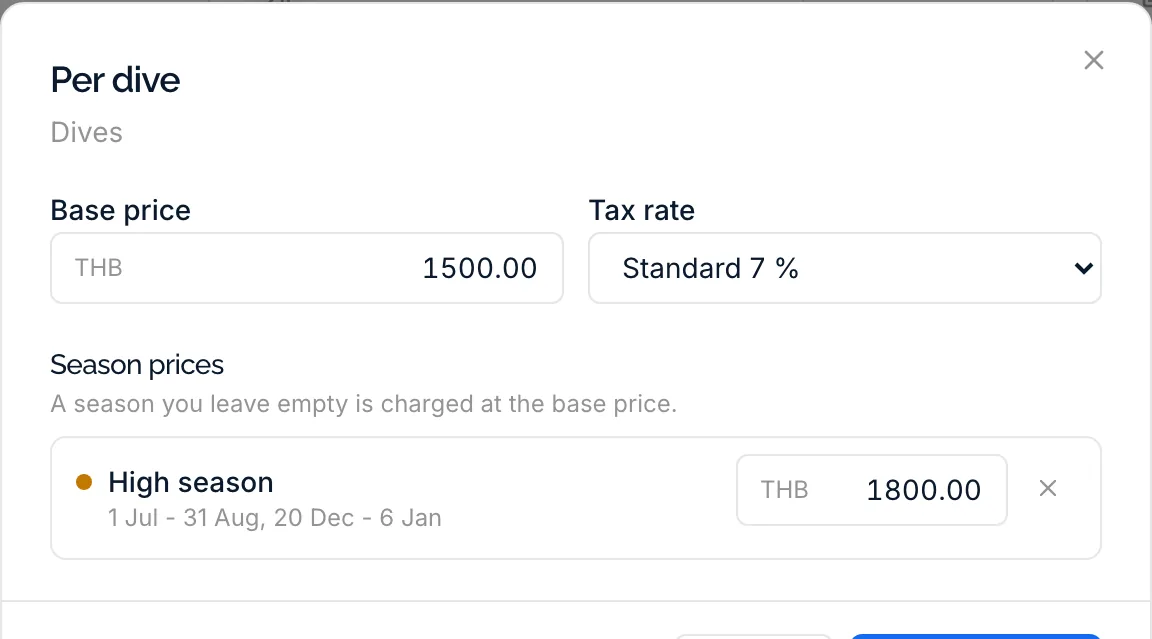
A season is a name, a colour and one or more periods given as day and month, such as 20 December to 6 January. It comes round every year, so nothing has to be entered again in January, and no day can belong to two seasons. Any price can have its own amount in a season; a season left empty is charged at the base price.
- Periods that run over New Year in one piece
- Season prices for dives, departures, courses, extras and gear
- Volume discounts from a number of dives, priced per season too and applied per person in the online estimate
- The whole year at a glance, in your season colours
The price,
before they book
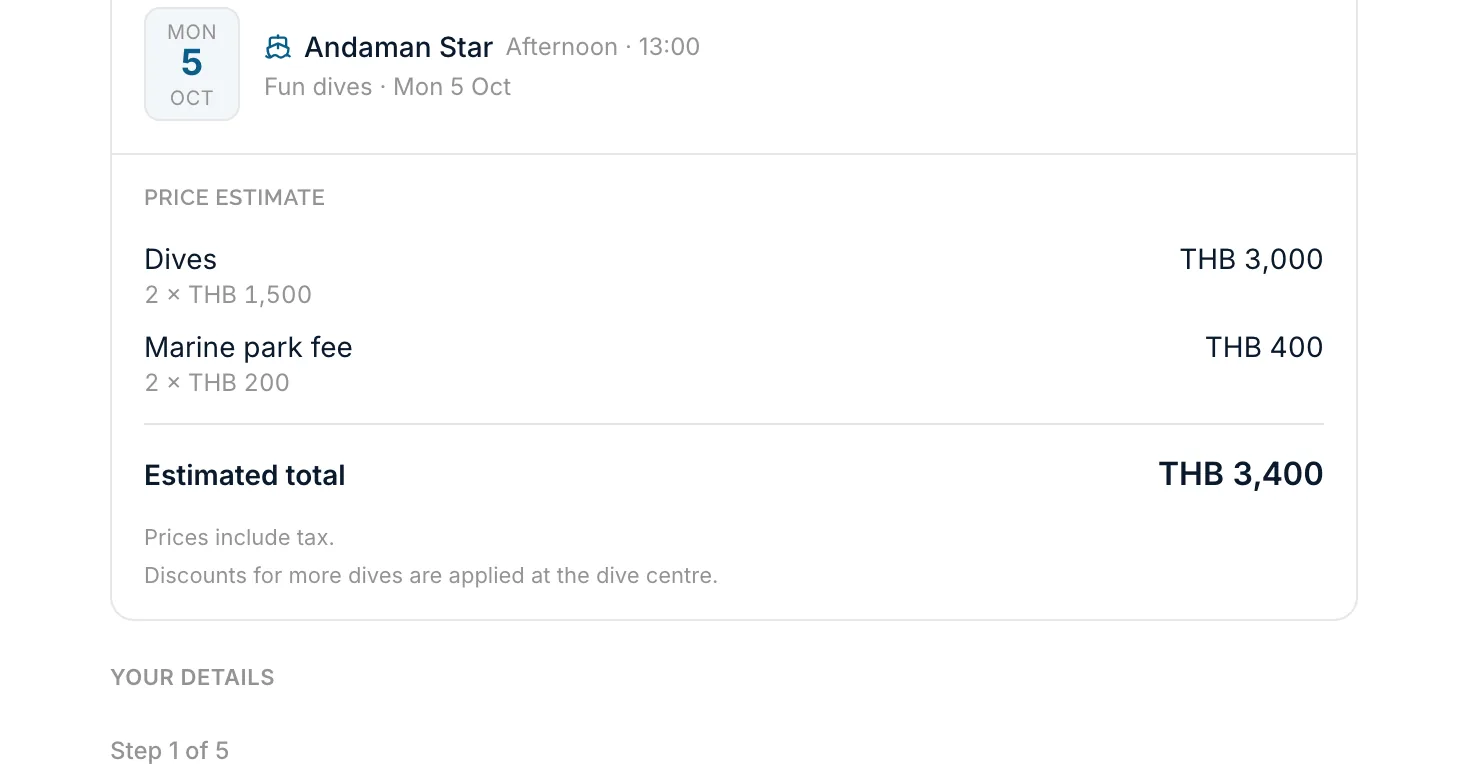
Switch prices on for your booking page and guests see what each trip, course and piece of gear costs. Once they pick a trip or a course, an estimate sits in their booking summary: the dives or the course, automatic fees such as a marine park fee, included extras and gear, each as quantity times price, with a total that follows every choice to the last step.
- The price of the day being booked, season included
- Nitrox as an option, added for every dive of the trip
- A note under the total says whether prices include tax
- No prices anywhere on the page until you switch them on
The rest of the paperwork
The parts that make a price list something you can hand over, rely on and change without guessing.
Tax your way
Enter prices with tax included or with tax added on top, keep several named tax rates with one default, and give each price the rate it needs.
A PDF price list
Download the list as an A4 PDF with your logo, name, address and contact details. Choose the parts, and all seasons, base prices only or one season.
The rate of the day
The booking page quotes the price of the day being booked, season included. At the rental desk, a rental is charged at the rate of its start date for the whole rental.
Who sees prices
Seeing prices is a permission of its own, and changing them is split by area: dives, discounts, courses, extras, gear and seasons. Without it, no amounts show anywhere.
Every change on record
Every price, season and tax rate keeps a history of who changed what, when and from which amount. The activity log lists every change, with filters and a CSV export.
Nitrox, priced
Say once whether you offer nitrox. It then has its own price per dive, guests can choose it online, and the trip, the departure board and the printed checklist mark every nitrox diver.
Before you set a price
No. DivePilot does not take payments or send guests bills. The price list holds your prices, the booking page shows guests an estimate before they book, and your dive center confirms the final amount with them.
No. A season's periods are days and months without a year, so a high season from 20 December to 6 January applies every winter until you change it. Without any season, every price is simply its base price.
You set tiers such as from 5 dives and from 10 dives, each with its own price per dive, and a season can price a tier differently. When a guest reaches a tier during their stay, all their dives are charged at that tier. The online estimate applies them: it counts each person's dives across every trip in their booking and shows the discount on its own line.
Only if you switch prices on for your booking page. Guests then see the price of each trip, course and piece of rental gear, and an estimate of their booking. With it off, the booking page shows no prices at all.
Whoever you give the permission. Seeing prices and changing them are separate, and changing is split by area, so a manager can edit course prices while the front desk only reads them. Every change is recorded with who made it and what it was before.
Put your prices in one place
Enter the prices you charge today, add your high season, and see them on your booking page the same afternoon, inside the free trial.